pixel-point/toolcraft
A starter kit for when Figma stops being the right tool
Toolcraft scaffolds custom design apps with a canvas, UI library, and AI guardrails — so your agent builds the tool instead of you fighting a general-purpose editor.
Collecting fresh signals — velocity needs a few days of history.
star history
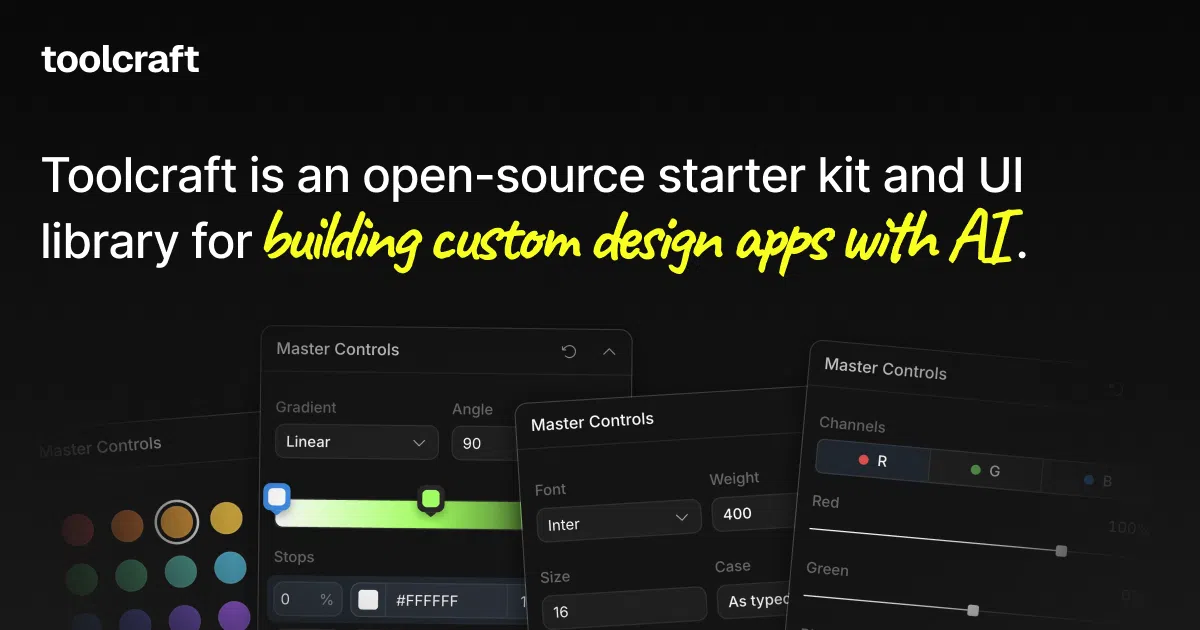
What it does Toolcraft is an open-source starter kit and UI library for building your own small design apps with an AI agent (Codex, Claude Code, Cursor). It’s not a cloud service — the CLI copies a batch of files into a folder, including a React/TypeScript/Tailwind starter, a pan-and-zoom canvas, and a component library of sliders, color palettes, curve editors, image uploaders, and the like. You describe the tool you want; the agent assembles it on top of that foundation.
The interesting bit
The real product here is the AI harness: local rules, reference docs, and skills in docs/toolcraft that steer your agent toward building on Toolcraft’s design system instead of freewheeling. The runtime and UI source ship directly in the generated project rather than hiding behind a package, so everything stays inspectable and editable.
Key highlights
- Built-in layers, animation timeline, and keyframes the agent can enable as needed
- Image and video export workflows included
- Unit, browser, acceptance, and performance checks baked in
- Generated apps run independently — no AI subscription required to keep using them
- Files are processed in the browser; nothing gets sent anywhere
- MIT-licensed, fine for commercial and client work
Caveats
- The authors are candid that this isn’t instant: expect 30–60 minutes to a first working result, and they report 1–3 days and 30–50 AI iterations per app at Pixel Point
- They explicitly say $20/month agent plans aren’t enough — budget at least $100/month
- Best suited to canvas-plus-controls apps (gradient generators, glitch effects, shader experiments); not a general app framework
Verdict Worth a look if you repeatedly do procedural or effect-heavy design work that Figma handles awkwardly, and you have a hefty agent plan. If you need one-off designs, stick with the tools you already have — the FAQ itself says to check those first.
Frequently asked
- What is pixel-point/toolcraft?
- Toolcraft scaffolds custom design apps with a canvas, UI library, and AI guardrails — so your agent builds the tool instead of you fighting a general-purpose editor.
- Is toolcraft open source?
- Yes — pixel-point/toolcraft is open source, released under the MIT license.
- What language is toolcraft written in?
- pixel-point/toolcraft is primarily written in TypeScript.
- How popular is toolcraft?
- pixel-point/toolcraft has 1.1k stars on GitHub.
- Where can I find toolcraft?
- pixel-point/toolcraft is on GitHub at https://github.com/pixel-point/toolcraft.