microsoft/promptflow
Microsoft's 11K-star toolkit for taming LLM chaos
A Python CLI and VS Code extension that treats prompt engineering like software engineering — with DAGs, tests, and CI/CD.
Not currently ranked — collecting fresh signals.
star history
What it does
Prompt flow is Microsoft’s open-source Python toolkit for building LLM applications as structured, testable workflows. You define “flows” in YAML that chain together prompts, Python code, and API calls into executable DAGs, then iterate, evaluate, and deploy them like any other software artifact.
The interesting bit
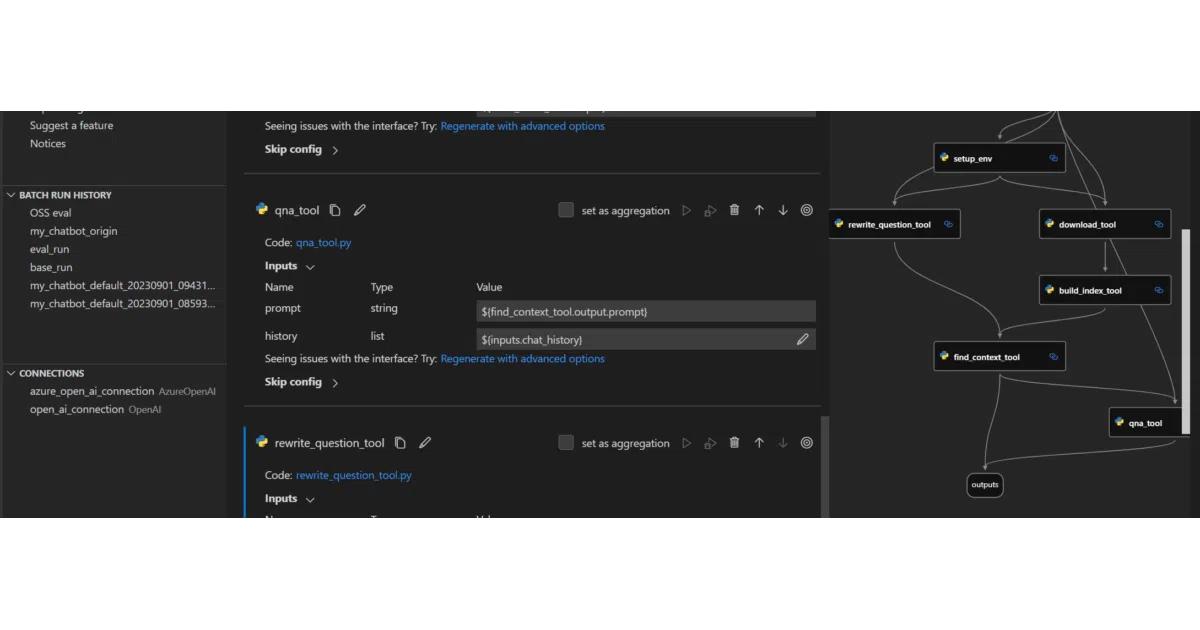
The VS Code extension turns prompt hacking into visual flow design — complete with a node-based editor that makes your RAG pipeline look like a data engineering job. The CLI (pf flow init --type chat) scaffolds the boilerplate so you stop copy-pasting OpenAI snippets into Jupyter cells.
Key highlights
- DAG-based flows: YAML-defined pipelines with typed inputs/outputs, not string concatenation in notebooks
- Built-in tracing: Debug LLM interactions without sprinkling print statements everywhere
- Evaluation hooks: Batch testing and metrics integration designed for CI/CD gates
- Connection management: Clean separation of API keys (OpenAI, Azure OpenAI) from flow logic via YAML configs
- Azure escape hatch: Cloud version in Azure AI for team collaboration, though local development works standalone
Caveats
- Telemetry is on by default; you must explicitly run
pf config set telemetry.enabled=falseto opt out - Python version pinned to 3.9–3.11; newer interpreters need not apply
- The “production deployment” story is hand-wavy in the README — deploy “to the serving platform you choose” is doing a lot of heavy lifting
Verdict
Worth a look if you’re currently duct-taping LangChain scripts together and want structure without the framework cult. Skip it if you’re happy with your notebook chaos or need deep custom inference infrastructure.
Frequently asked
- What is microsoft/promptflow?
- A Python CLI and VS Code extension that treats prompt engineering like software engineering — with DAGs, tests, and CI/CD.
- Is promptflow open source?
- Yes — microsoft/promptflow is open source, released under the MIT license.
- What language is promptflow written in?
- microsoft/promptflow is primarily written in Python.
- How popular is promptflow?
- microsoft/promptflow has 11.3k stars on GitHub.
- Where can I find promptflow?
- microsoft/promptflow is on GitHub at https://github.com/microsoft/promptflow.