lkwq007/stablediffusion-infinity
Stable Diffusion that scrolls forever (until your RAM gives out)
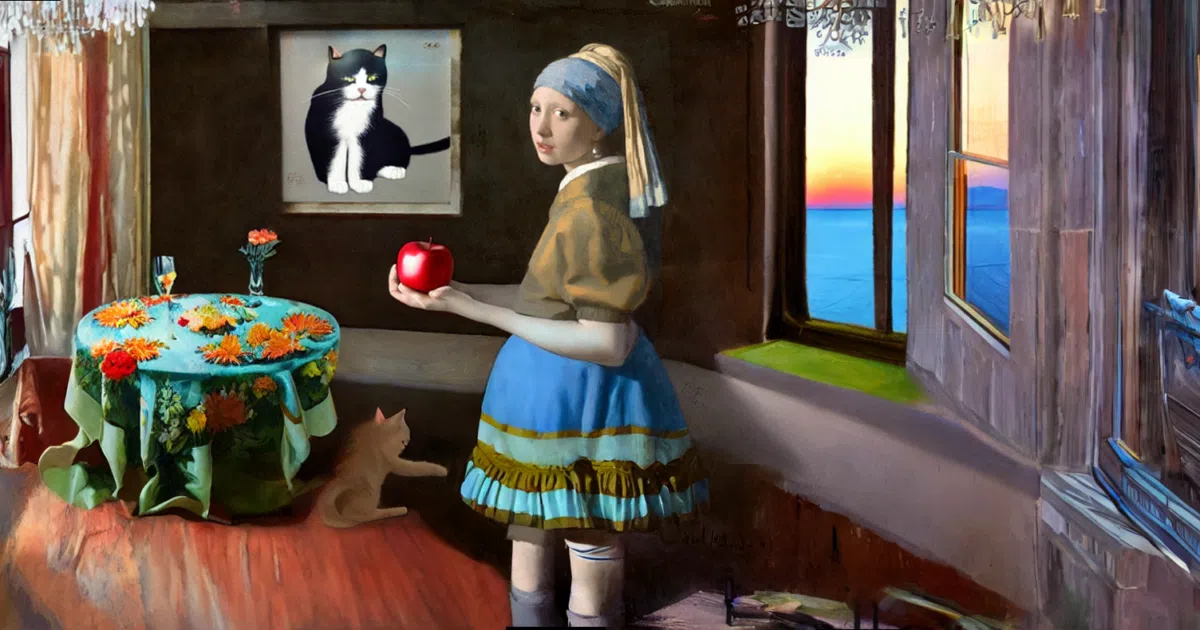
A web-based outpainting tool that lets you extend images in any direction on an 'infinite' canvas using Stable Diffusion's inpainting model.
Not currently ranked — collecting fresh signals.
star history
What it does
This project gives you a browser-based canvas where you can keep extending images outward—up, down, left, right—using Stable Diffusion’s inpainting model. You select a region, the AI fills it, and you repeat. It started as a Jupyter notebook with ipycanvas, then became a web app built on PyScript and Gradio. There’s also photometric correction (via fpie) to smooth out the seams between old and new content.
The interesting bit
The “infinite” part is aspirational rather than architectural. The canvas is actually a NumPy-backed PyScript implementation running in your browser, which the authors admit is “relatively inefficient compared with pure frontend solutions.” Your RAM and browser tab are the real canvas boundaries. The project also carries a small zoo of submodules and borrowed code—PatchMatch for initialization, Poisson image editing for blending, BLIP for interrogation—making it feel more like a well-documented integration than a ground-up build.
Key highlights
- Web UI via PyScript + Gradio; no local install needed if you use Colab or Hugging Face Spaces
- Photometric correction to suppress visible seams between generated patches (Linux/MacOS only, requires
fpie) - Multiple init modes for masked regions;
patch_matchusually wins - Docker support for Windows/Linux with NVIDIA GPUs
- Includes CLIP interrogation and BLIP captioning for prompt assistance
Caveats
- Canvas crashes or “behaves strangely” when zoomed out too far; finite RAM meets infinite ambition
- Photometric correction relies on a “dirty hack” with subprocesses because
taichidoesn’t play nice with multithreading - Inpainting slows dramatically above 512×512 selections
- Requires internet even for local use unless you manually host PyScript/Pyodide assets
Verdict
Worth a spin for artists and tinkerers who want to explore AI-assisted image extension without writing code. Skip it if you need production reliability or work primarily on Windows and want seamless blending—the photometric correction is Linux/MacOS only and the seam suppression is, by the authors’ own admission, a hack.
Frequently asked
- What is lkwq007/stablediffusion-infinity?
- A web-based outpainting tool that lets you extend images in any direction on an 'infinite' canvas using Stable Diffusion's inpainting model.
- Is stablediffusion-infinity open source?
- Yes — lkwq007/stablediffusion-infinity is open source, released under the Apache-2.0 license.
- What language is stablediffusion-infinity written in?
- lkwq007/stablediffusion-infinity is primarily written in Python.
- How popular is stablediffusion-infinity?
- lkwq007/stablediffusion-infinity has 3.9k stars on GitHub.
- Where can I find stablediffusion-infinity?
- lkwq007/stablediffusion-infinity is on GitHub at https://github.com/lkwq007/stablediffusion-infinity.