kadevin/ilab-gpt-conjure
A local workbench for GPT-image-2 with reusable prompt chips
It wraps GPT-image-2 in a local workbench so your references, templates, and history survive the session.
Collecting fresh signals — velocity needs a few days of history.
collecting data…
star history
What it does
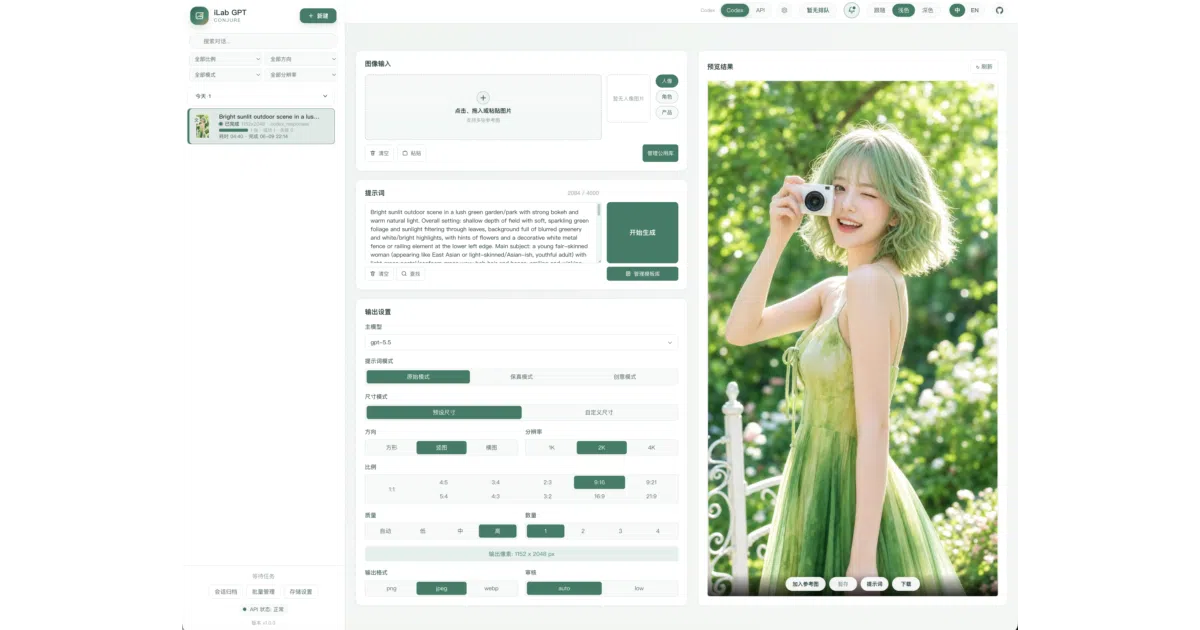
iLab GPT Conjure is a FastAPI-based WebUI—and a matching CLI—for generating images with GPT-image-2. It keeps your workflow local: a SQLite-backed history with search, lazy-loaded details, and pagination; a reusable image gallery; a task queue that handles concurrent jobs; and a prompt editor that supports templates and atomic “chips.” You can connect through a standard OpenAI-compatible API or, for solo local tinkering, reuse an existing Codex / ChatGPT OAuth session—though the README is upfront that this backdoor is unofficial and brittle.
The interesting bit
The prompt editor treats references as composable atoms: @ chips pull from your local gallery, # chips inject hex colors, and ~ chips expand saved text snippets. It is a small UX detail, but it turns prompt assembly from frantic copy-pasting into something closer to building a formula. The project also ships as a portable, unzip-and-run package for Windows and macOS, complete with an embedded Python runtime and an update script that preserves your local data/ directory.
Key highlights
- Dual auth: a stable OpenAI-compatible API mode, plus an “advanced local OAuth” mode that reuses your machine’s ChatGPT login state (unofficial, single-user, and clearly labeled as risky).
- Three prompt “chips” for gallery images, hex colors, and reusable text fragments, plus a separate template system for longer prompt structures.
- Local SQLite history with pagination, search, filtering, and a dedicated
/historypage; tasks support multi-image output, partial failure handling, and retry. - Portable zip releases for Windows and macOS that bundle CPython and dependencies, aiming for a ComfyUI-like “decompress and double-click” experience.
- AGPL-3.0 license; the author notes that network use requires source sharing.
Caveats
- The unofficial OAuth mode relies on internal ChatGPT backend interfaces that “may change or fail at any time”; the README explicitly discourages it for production, team, or public deployments.
- macOS portable builds are unsigned, so expect to strip quarantine attributes or bypass Gatekeeper before they will run.
- Deleting an image from the local gallery breaks historical task references, which then display as missing.
Verdict
Worth a look if you want a self-hosted, organized front-end for GPT-image-2 with persistent history and reusable assets. Skip it if you need a managed cloud solution or if the AGPL-3.0 obligations are a headache for your use case.