jenissimo/unfake.js
unfake.js: A lint tool for sloppy AI pixel art
A browser-based cleanup crew that detects true pixel grids, snaps them to alignment, and quantizes colors so your AI-generated sprites don't look like they were drawn by a confused printer.
Velocity · 7d
+2.5
★ / day
Trend
→steady
star history
What it does
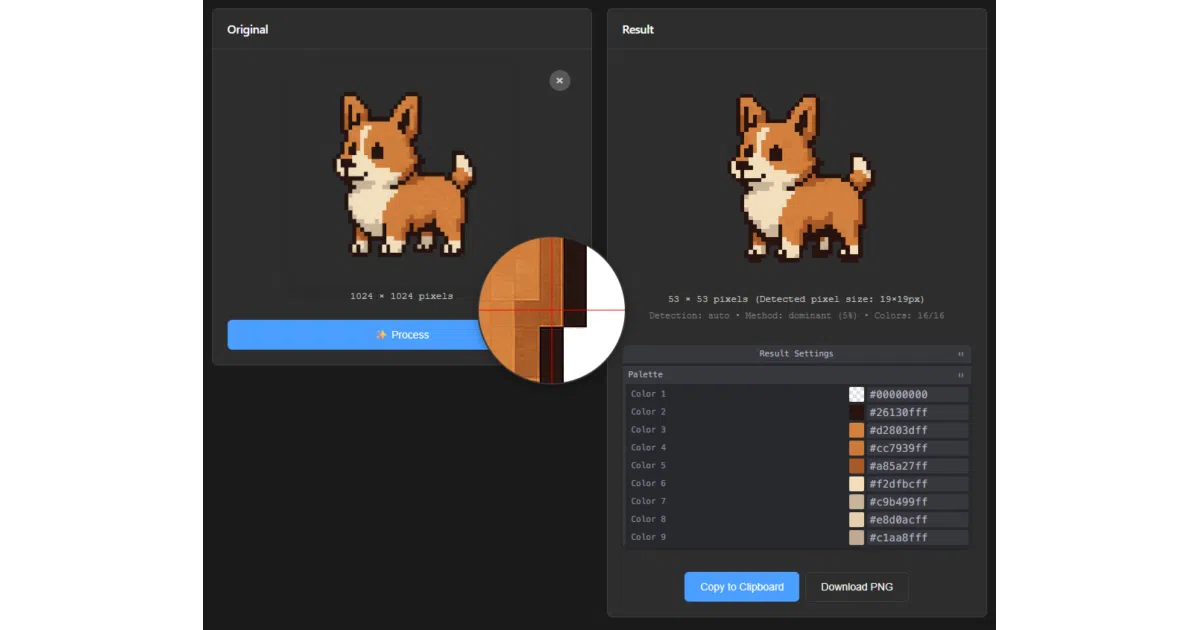
unfake.js is a JavaScript library with two modes: a Pixel Art Processor that reverse-engineers the “true” pixel size of upscaled AI-generated sprites, then downscales, grid-snaps, and quantizes them back to clean assets; and an Image Vectorizer that wraps imagetracer.js with OpenCV.js pre-processing to turn rasters into SVGs. It ships with a browser tool for interactive tweaking.
The interesting bit
The pixel art pipeline does something most image tools skip: it guesses the original pixel grid using “runs-based” or “edge-aware” scale detection, then physically snaps the crop to that grid. It’s the difference between resizing a photo and actually understanding that someone meant to draw with a 16×16 brush.
Key highlights
- Dual cleanup modes: Pixel art (grid detection → downscale → quantization → morphological cleanup) and vectorization (noise reduction → smart quantization →
imagetracer.jstracing) - Browser-first, server-optional: Full interactive tool with Tweakpane controls, drag-and-drop, clipboard paste, before/after split view, and a magnifier for pixel-peeping
- Palette surgery: View extracted palettes and swap colors interactively before export
- Ecosystem exists: ComfyUI node, Python/Rust port (10–20% faster), and an itch.io demo requiring zero install
- Alpha handling: Binarizes transparency for pixel art; adds temporary backgrounds for vectorization to prevent edge artifacts, then strips them
Caveats
- Local server required: The browser tool won’t run from
file://due to ES module security restrictions; the README walks through Python/Node/VSCode Live Server workarounds - Dependency weight: Core functionality leans on
OpenCV.js,imagetracer.js, andimage-q— not lightweight for a quick browser drop-in - No benchmark data: The “10–20% speedup” claim for the Python port comes from the port’s own README, not this project’s measurements
Verdict
Grab this if you’re generating pixel art or sprites with AI and spending manual cleanup time in Aseprite or Photoshop. Skip it if your pipeline is already vector-native or your images are photographically continuous-tone; the vectorizer is competent but essentially a well-tuned wrapper around existing tools.