jakobdylanc/llmcord
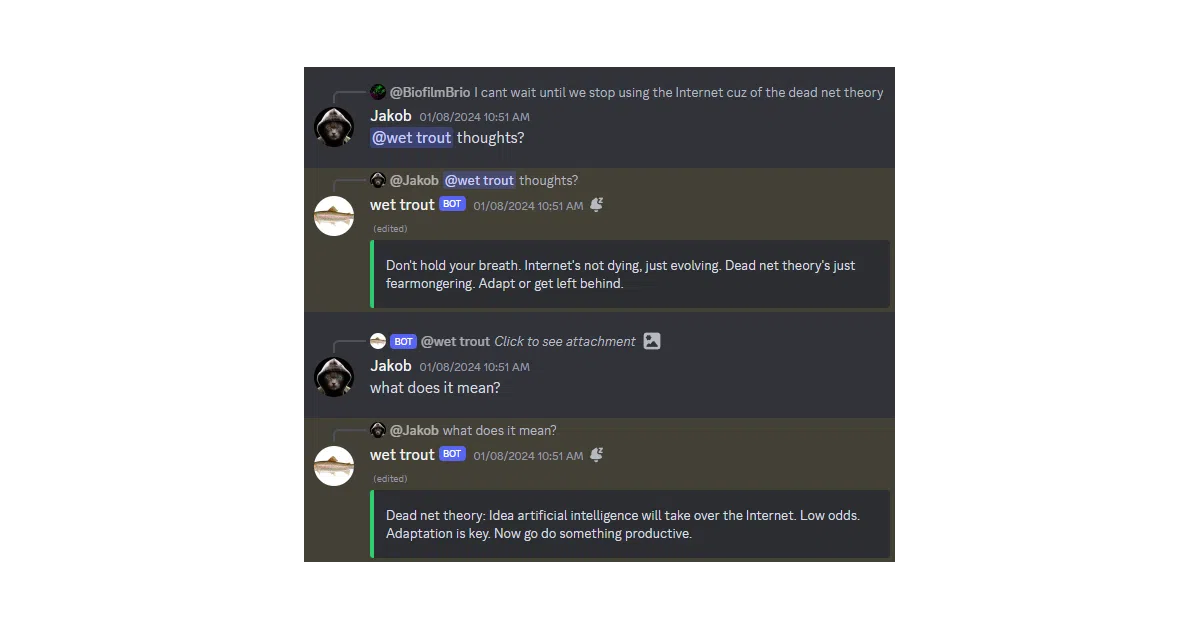
Discord reply chains become branching LLM conversations
llmcord turns Discord into a shared LLM client where your team can branch conversations with nothing but replies and @mentions.
Not currently ranked — collecting fresh signals.
star history
What it does
llmcord is a single-file Python bot that plugs any OpenAI-compatible LLM into Discord. Users start a conversation by @mentioning the bot and keep it going with standard Discord replies, creating branching threads that multiple people can continue or fork at any point. It supports remote APIs like OpenAI, Gemini, and OpenRouter alongside local runners such as Ollama and vLLM, and it can juggle vision models, text file attachments, and custom system prompts.
The interesting bit
The clever part is that it treats Discord’s native reply chains as a branching conversation tree—no custom UI needed—while a size-managed, mutex-protected message cache tries to minimize Discord API calls. The entire bot is roughly 300 lines of async Python, keeping the surface area small and the bug count theoretically manageable.
Key highlights
- Works with practically any OpenAI-compatible API, from hosted services like xAI and Groq to local engines like Ollama and LM Studio.
- Supports vision models for image attachments and can ingest text files such as
.pyand.cinto the context window. - Conversations branch naturally through Discord replies; users can continue each other’s threads or spin off into dedicated threads without losing context.
- Hot-reloads its YAML configuration without a restart and streams responses back to the channel in real time.
- Permission system allows fine-grained control over which users, roles, and channels can access the bot, including admin-only model switching via
/model.
Caveats
- Only OpenAI-compatible APIs are supported, so proprietary or non-standard endpoints need a compatibility layer.
- Some vision models require manually appending
:visionto their names in the config to enable image support. - Role and channel permissions explicitly do not affect DMs, so
allow_dms: falseis the only blunt instrument for restricting direct-message access.
Verdict
If your team already lives in Discord and you need a quick, multi-user LLM interface without building a separate frontend, this is a pragmatic fit. If you want a polished standalone chat UI or need to talk to non-OpenAI API schemas, look elsewhere.
Frequently asked
- What is jakobdylanc/llmcord?
- llmcord turns Discord into a shared LLM client where your team can branch conversations with nothing but replies and @mentions.
- Is llmcord open source?
- Yes — jakobdylanc/llmcord is open source, released under the MIT license.
- What language is llmcord written in?
- jakobdylanc/llmcord is primarily written in Python.
- How popular is llmcord?
- jakobdylanc/llmcord has 835 stars on GitHub.
- Where can I find llmcord?
- jakobdylanc/llmcord is on GitHub at https://github.com/jakobdylanc/llmcord.