ik190/macos-chatgpt-overlay-bar
Your menubar’s new tenant is an AI chatbot
This exists because instant access to ChatGPT is still too slow when it lives inside a browser tab.
★1.3k stars Chat Assistants
Not currently ranked — collecting fresh signals.
star history
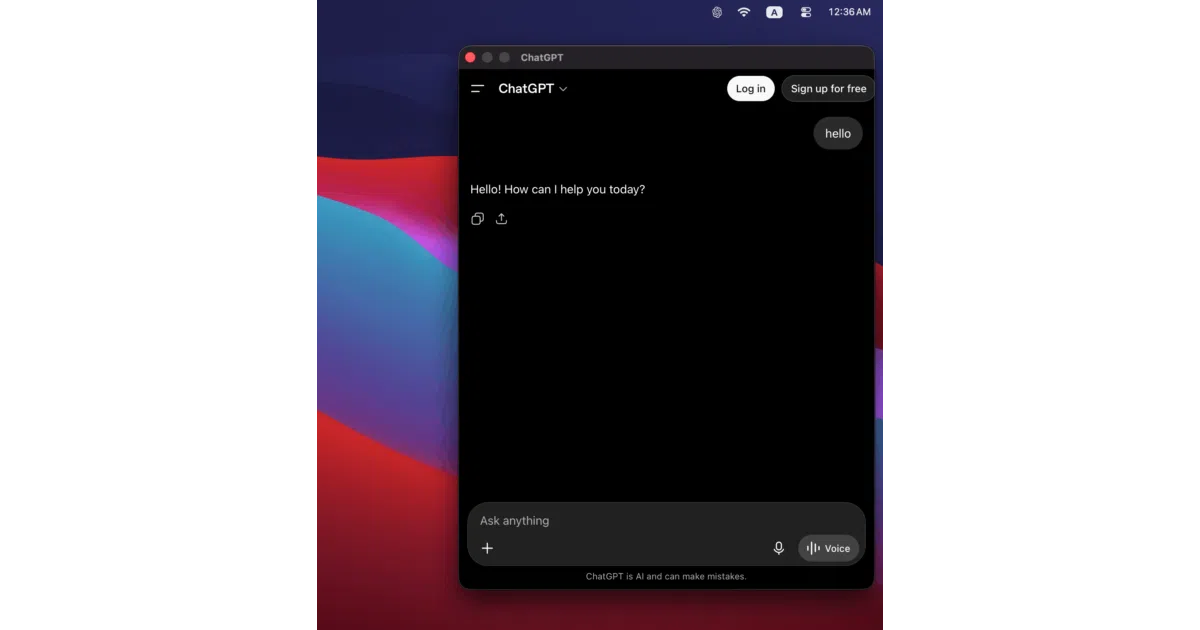
What it does macOS ChatGPT Overlay Bar is a single-purpose utility that parks ChatGPT access in your Mac’s menubar. Click the icon and a lightweight overlay appears, letting you query the AI without switching apps or losing context on your current screen. The README describes it as an independent client unaffiliated with OpenAI.
The interesting bit The entire value proposition is friction reduction. The app lives in your menubar and opens a lightweight overlay, letting you query ChatGPT without switching contexts. That is the whole pitch—a faster path to the same service, not a different service.
Key highlights
- Anchors in the macOS menubar for persistent, one-click access
- Opens as a lightweight overlay on your current desktop
- Distributed as a standalone macOS app via GitHub Releases
- Explicitly independent of OpenAI, with proper trademark disclaimers
Verdict If you reach for ChatGPT constantly and hate losing your window context, this menubar shortcut is for you. If you expected anything beyond a lightweight overlay portal, you will find the feature set exactly as thin as it looks.
Frequently asked
- What is ik190/macos-chatgpt-overlay-bar?
- This exists because instant access to ChatGPT is still too slow when it lives inside a browser tab.
- Is macos-chatgpt-overlay-bar open source?
- Yes — ik190/macos-chatgpt-overlay-bar is an open-source project tracked on heatdrop.
- How popular is macos-chatgpt-overlay-bar?
- ik190/macos-chatgpt-overlay-bar has 1.3k stars on GitHub.
- Where can I find macos-chatgpt-overlay-bar?
- ik190/macos-chatgpt-overlay-bar is on GitHub at https://github.com/ik190/macos-chatgpt-overlay-bar.