florestefano1975/comfyui-portrait-master
ComfyUI’s casting director for human portraits
It turns the tedious work of writing portrait prompts into modular, chainable dropdowns inside ComfyUI.
Not currently ranked — collecting fresh signals.
star history
What it does
ComfyUI Portrait Master is a pack of custom nodes that assemble detailed text prompts for human portraits from hundreds of dropdown menus and sliders, sparing you the chore of manual description. You chain modules—Base Character, Skin Details, Style & Pose, Makeup, and Face Generator—to construct a prompt string that feeds directly into your diffusion model. A dedicated Prompt Styler node also strips legacy SD1.5/SDXL weight syntax and rewrites the output for modern conversational models like Flux, Sana, and HiDream.
The interesting bit
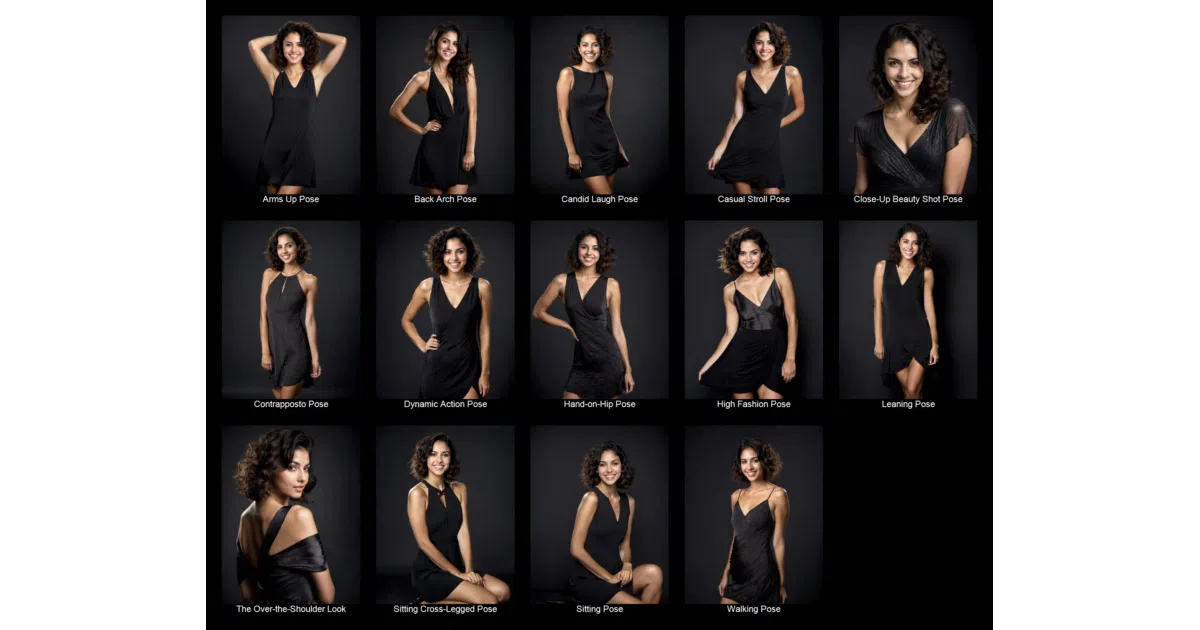
The project treats prompt engineering like a casting call form, offering 192 nationalities, 87 poses, 70 lighting setups, and sliders to blend ethnicities or add facial asymmetry. Presets let you save a look and reload it across sessions, while a seeded randomizer turns the node into a slot machine for faces—useful for brainstorming, dangerous for deadlines.
Key highlights
- Six modular nodes covering body type, skin pores, makeup color, clothing, lighting, and photorealism toggles.
- Over 1,000 selectable options across categories, including 100+ hairstyles and 65+ artistic styles.
- Built-in preset system with per-node save/load and a randomization mode controlled by a seed input.
- Prompt Styler node converts legacy weighted syntax for modern models (Flux, Sana, HiDream).
- Compatible with SD1.5, SDXL, Flux, and other modern checkpoints.
Caveats
- Nationality mixing is labeled experimental and requires an optional companion node for full syntax support.
- High skin-detail values can override shot settings, and complex prompts may increase VRAM usage and slow inference.
- Presets require write permissions in the ComfyUI directory, and the README warns that updating overwrites any local file modifications.
Verdict
Portrait artists and ComfyUI regulars who generate a lot of human characters will save hours of typing. If you rarely render people or prefer free-form prose prompts, this will feel like doing paperwork.
Frequently asked
- What is florestefano1975/comfyui-portrait-master?
- It turns the tedious work of writing portrait prompts into modular, chainable dropdowns inside ComfyUI.
- Is comfyui-portrait-master open source?
- Yes — florestefano1975/comfyui-portrait-master is open source, released under the GPL-3.0 license.
- What language is comfyui-portrait-master written in?
- florestefano1975/comfyui-portrait-master is primarily written in Python.
- How popular is comfyui-portrait-master?
- florestefano1975/comfyui-portrait-master has 1.2k stars on GitHub.
- Where can I find comfyui-portrait-master?
- florestefano1975/comfyui-portrait-master is on GitHub at https://github.com/florestefano1975/comfyui-portrait-master.