debpalash/OmniVoice-Studio
ElevenLabs, but it lives on your hard drive and minds its own business
OmniVoice Studio bundles voice cloning, dubbing, dictation, and TTS into a desktop app that keeps all audio processing off the internet and away from API keys.
Velocity · 7d
+58
★ / day
Trend
→steady
star history
What it does
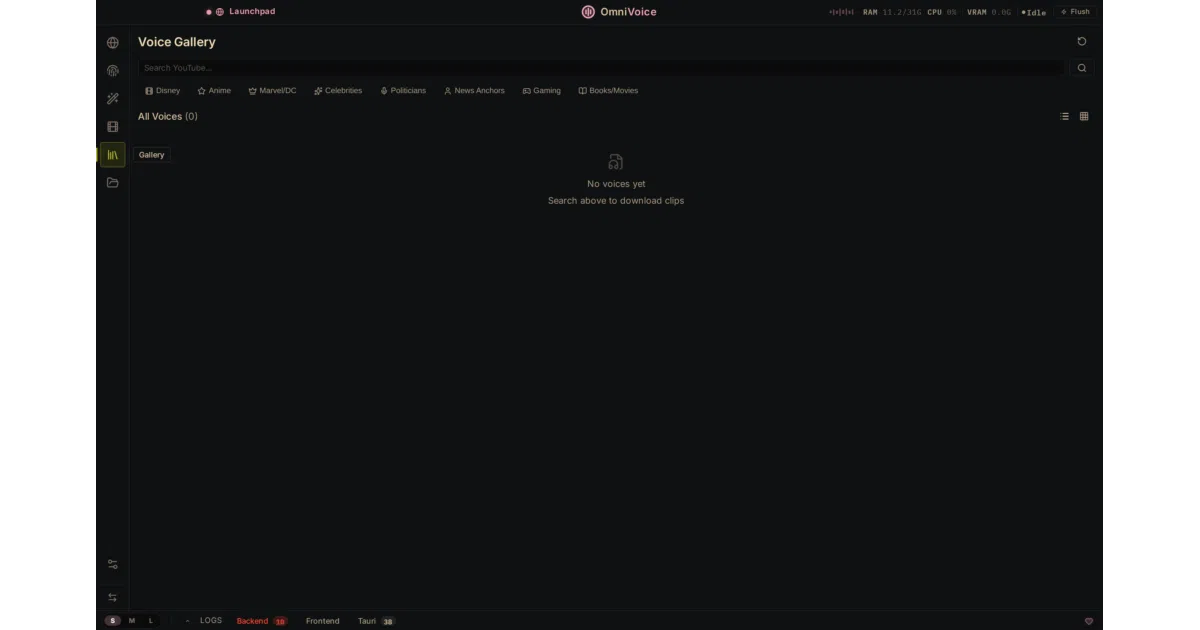
OmniVoice Studio is a desktop application for macOS, Windows, and Linux that bundles voice cloning, voice design, real-time dictation, and video dubbing into a single local package. It runs multiple swappable TTS backends—including a built-in OmniVoice engine, CosyVoice 3, and MLX-Audio for Apple Silicon—and ASR backends such as WhisperX and Faster-Whisper, so transcription, synthesis, and speaker diarization happen on your hardware without API keys. The app also includes a global dictation hotkey, batch video processing, and an MCP server so tools like Claude or Cursor can trigger voice tasks.
The interesting bit
The project treats “local-first” as a product feature rather than a constraint: it explicitly compares itself to ElevenLabs’ cloud pricing and pitches zero cloud dependency as the selling point. It also auto-detects CUDA, MPS, ROCm, or CPU and offloads work when VRAM drops below 8 GB, which suggests the authors actually expect people to run this on laptops with mid-tier GPUs.
Key highlights
- Claims 646 languages and zero-shot voice cloning from a 3-second clip.
- Swappable TTS backends (OmniVoice, CosyVoice 3, MLX-Audio) and ASR backends (WhisperX, Faster-Whisper).
- Speaker diarization via Pyannote + WhisperX and vocal isolation via Demucs.
- MCP server for integration with Claude, Cursor, or other MCP clients.
- Embeds AI watermarks using Meta’s AudioSeal.
Caveats
- The project is in active beta; the README warns that “things may break between releases” and recommends running from source rather than using pre-built installers.
- Some features, including diarization, require a Hugging Face token and extra setup beyond the base install.
- The README prominently claims 646-language support and 3-second cloning, but offers no benchmarks or evaluation data to substantiate them.
Verdict
Worth downloading if you want ElevenLabs-style voice cloning and dubbing without subscription fees or cloud uploads, and you don’t mind beta-grade roughness. If you need guaranteed stability or are allergic to extra setup tokens, wait for a later release.
Frequently asked
- What is debpalash/OmniVoice-Studio?
- OmniVoice Studio bundles voice cloning, dubbing, dictation, and TTS into a desktop app that keeps all audio processing off the internet and away from API keys.
- Is OmniVoice-Studio open source?
- Yes — debpalash/OmniVoice-Studio is open source, released under the AGPL-3.0 license.
- What language is OmniVoice-Studio written in?
- debpalash/OmniVoice-Studio is primarily written in Python.
- How popular is OmniVoice-Studio?
- debpalash/OmniVoice-Studio has 8.9k stars on GitHub and is currently holding steady.
- Where can I find OmniVoice-Studio?
- debpalash/OmniVoice-Studio is on GitHub at https://github.com/debpalash/OmniVoice-Studio.