basionwang-bot/HermesPet
A Native AI Client That Camps in the MacBook Notch
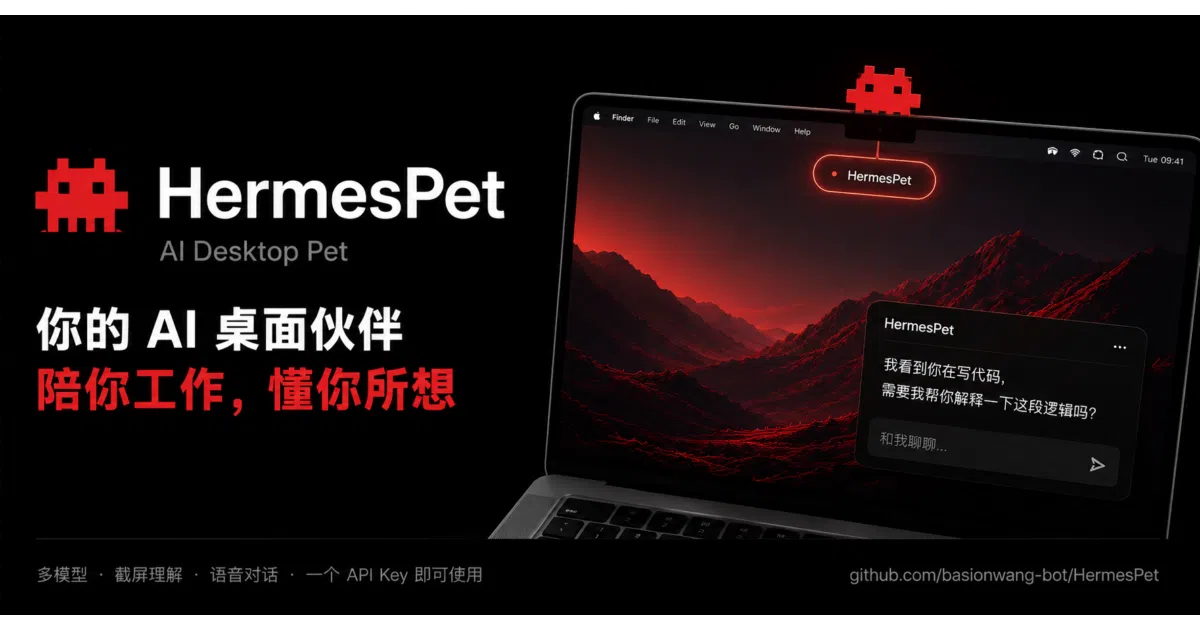
HermesPet turns the MacBook notch into a native, multi-engine AI companion so you can chat, run commands, and drag files without opening a browser or terminal.
Not currently ranked — collecting fresh signals.
star history
What it does
HermesPet is a native macOS desktop AI client written in Swift 6 and SwiftUI that anchors itself to the MacBook’s Dynamic Island. It runs up to eight parallel conversations, each bound to a different engine—online providers like DeepSeek or OpenAI, local gateways, Claude Code, or Codex. You drag files to pixel-art pets for ingestion, issue voice commands through offline macOS speech recognition, and approve file-system or shell operations through permission dialogs that surface directly under the notch.
The interesting bit
The app treats the notch as a first-class UI surface rather than dead space: the left ear shows your current mode’s animated pixel pet, the right ear displays real-time tool status with a Face ID-style checkmark on completion, and hovering triggers a capsule summary that drops down from the camera housing. A full-screen knowledge cloud map visualizes your entire conversation history as a star field clustered by topic, backed by a local SQLite database that persists chats and refines long-term memory while the machine is idle.
Key highlights
- Native Swift/SwiftUI on macOS 14+; distributed as a notarized DMG with no command-line dependencies for basic online AI use.
- Five engine modes running in parallel across up to eight conversations, with full history handoff when you switch models mid-chat.
- Dynamic Island integration showing live tool status, permission confirmations, reply summaries, and voice subtitles directly under the camera housing.
- Five mode-specific pixel pets that accept dragged files, “sniff” desktop icons for AI commentary, and play portal animations when crossing the notch.
- A local SQLite history store and a full-screen knowledge cloud map that renders past conversations as a navigable star field grouped by semantic topic.
Caveats
- The Windows port is an early-access Electron rebuild; feature parity with the native macOS version is still a work in progress.
- Advanced file-writing and command-execution capabilities require separately installed CLI tools, though the app detects them automatically.
- macOS 14 or newer is required, leaving older Intel or pre-Sonoma machines behind.
Verdict
Developers who want a native AI client with tight macOS integration and visual personality should take a look. If you are on Windows or expect a cross-platform Electron experience on macOS, this is not your pet.
Frequently asked
- What is basionwang-bot/HermesPet?
- HermesPet turns the MacBook notch into a native, multi-engine AI companion so you can chat, run commands, and drag files without opening a browser or terminal.
- Is HermesPet open source?
- Yes — basionwang-bot/HermesPet is an open-source project tracked on heatdrop.
- What language is HermesPet written in?
- basionwang-bot/HermesPet is primarily written in TypeScript.
- How popular is HermesPet?
- basionwang-bot/HermesPet has 599 stars on GitHub.
- Where can I find HermesPet?
- basionwang-bot/HermesPet is on GitHub at https://github.com/basionwang-bot/HermesPet.