aws-samples/aws-lex-web-ui
AWS's drop-in chat widget: not pretty, but it talks
An official AWS sample that wraps Amazon Lex into a deployable Vue.js chat interface with voice, text, and one-click CloudFormation setup.
Not currently ranked — collecting fresh signals.
star history
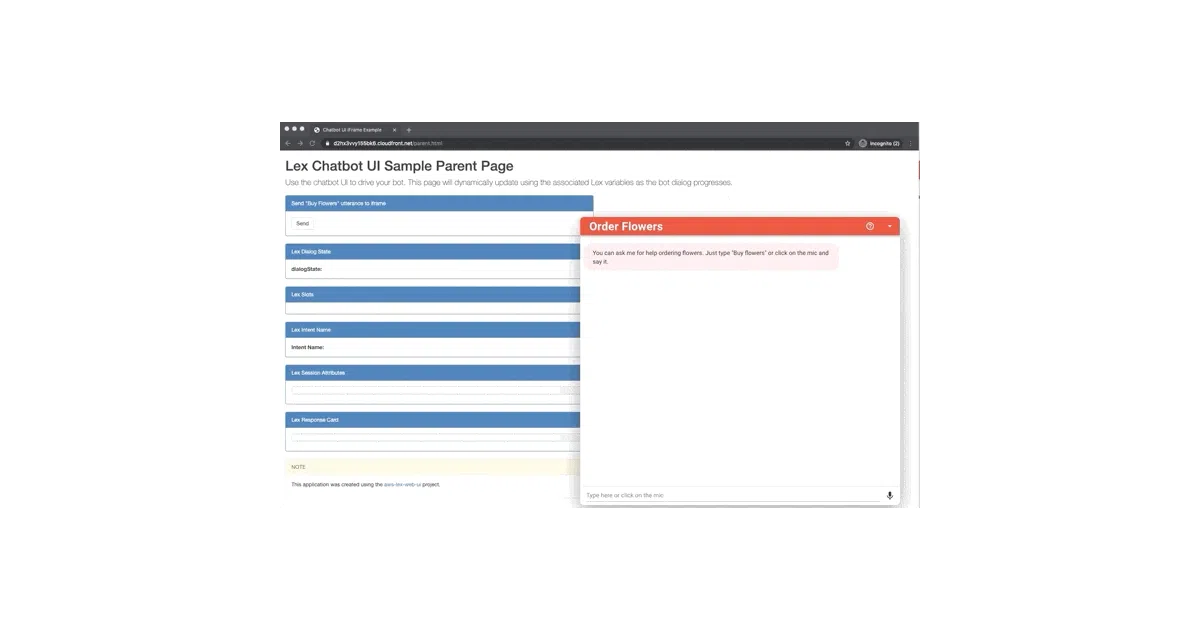
What it does This is AWS’s reference implementation for putting a Lex chatbot on a website. It bundles a Vue.js/Vuetify UI into either a full-page app or an embeddable iframe widget, with CloudFormation templates that auto-deploy to S3 and wire up Cognito auth. Voice input uses Amazon Polly, with silence detection and the ability to interrupt bot responses.
The interesting bit The “seamless” voice/text switching and automatic silence detection are genuinely useful touches in a sample project—most chat widgets treat voice as an afterthought. The CloudFormation-first deployment is also notable: AWS wants you running this in production infrastructure, not just localhost tinkering.
Key highlights
- Pre-built JS libraries in
/distfor drop-in or iframe embedding - CloudFormation templates for 10 regions with one-click launch buttons
- Voice mode with transcription, interrupt handling, and replay
- Programmatic JavaScript API for external page control
- Amazon Connect interactive messaging support (response cards, list pickers, date pickers)
- Mobile-responsive with full-page and compact widget modes
Caveats
- New AWS regions only support Lex V2, but the default CloudFormation stack tries to create a Lex V1 sample bot and will fail unless you pre-deploy a V2 bot
- The README is thorough but sprawling; finding the right integration path requires navigating multiple sub-READMEs
- “Seamless” mode switching is the README’s word, not a benchmarked claim
Verdict Worth a look if you’re already committed to Amazon Lex and need a production-ready starting point. Skip it if you want a polished custom UI or aren’t prepared to wrestle with AWS’s auth and region quirks.
Frequently asked
- What is aws-samples/aws-lex-web-ui?
- An official AWS sample that wraps Amazon Lex into a deployable Vue.js chat interface with voice, text, and one-click CloudFormation setup.
- Is aws-lex-web-ui open source?
- Yes — aws-samples/aws-lex-web-ui is an open-source project tracked on heatdrop.
- What language is aws-lex-web-ui written in?
- aws-samples/aws-lex-web-ui is primarily written in JavaScript.
- How popular is aws-lex-web-ui?
- aws-samples/aws-lex-web-ui has 816 stars on GitHub.
- Where can I find aws-lex-web-ui?
- aws-samples/aws-lex-web-ui is on GitHub at https://github.com/aws-samples/aws-lex-web-ui.