RafaelGodoyEbert/ViralCutter
Opus Clip, but it runs on your GPU and costs nothing
ViralCutter turns long YouTube videos into vertical shorts with AI-selected cuts, word-by-word captions, and face tracking — all locally on your machine.
Too new to rank. Velocity needs a few days of history.
not enough history yet
star history
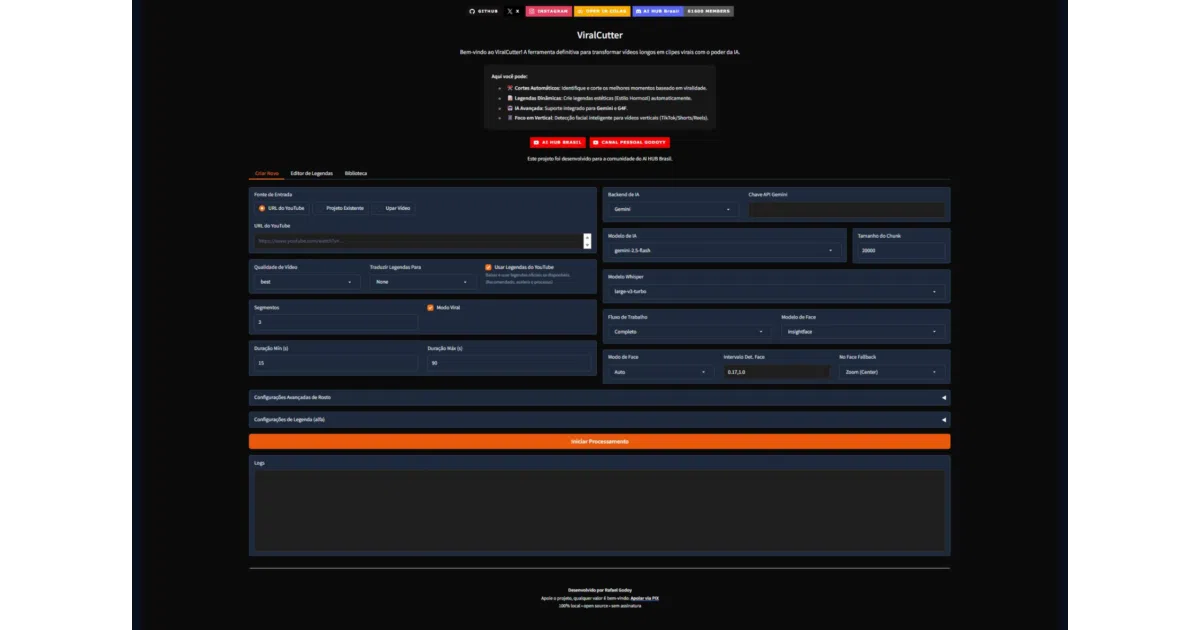
What it does You feed it a long YouTube video; it transcribes it with WhisperX (GPU-accelerated), asks an LLM which moments are actually engaging, and renders those as 9:16 clips with burned-in captions. It handles the boring-but-crucial part of short-form editing: cropping horizontal footage to vertical while keeping the speaker in frame, including a split-screen mode when two people are talking. There’s a Gradio web UI with a project gallery and a caption editor, plus a CLI.
The interesting bit
The LLM layer is pluggable — Gemini, GPT-4, or a local GGUF model (Llama 3, DeepSeek) dropped into a models/ folder — so the whole pipeline can run fully offline. Transcription uses a “slicing” approach: process the video once, cut N times, which is the right shape for a tool you’ll re-run with different settings.
Key highlights
- Auto-crop 9:16 with face tracking; split screen for two-person conversations; experimental active-speaker switching
- “Hormozi-style” captions with per-word highlight, colors, and emojis
- Automatic subtitle translation into 10+ languages
- Exports XML for Premiere Pro (beta) — a rare escape hatch from the built-in renderer
- No watermark, no upload limits, nothing leaves your machine
Caveats
- Windows-centric: the install path leans on
.batscripts, Visual Studio C++ Build Tools, andwinget; the README doesn’t cover macOS or Linux - An NVIDIA GPU is strongly recommended (CUDA 12.4+), and the fully-offline LLM mode demands decent VRAM
- Version 0.8 Alpha — active-speaker mode is explicitly experimental, and direct upload to TikTok/YouTube/Instagram is still on the roadmap
Verdict Worth a look if you produce shorts regularly and resent paying $20–$100/month for the privilege. If you’re on a Mac or without an NVIDIA card, expect friction the README doesn’t address.
Frequently asked
- What is RafaelGodoyEbert/ViralCutter?
- ViralCutter turns long YouTube videos into vertical shorts with AI-selected cuts, word-by-word captions, and face tracking — all locally on your machine.
- Is ViralCutter open source?
- Yes — RafaelGodoyEbert/ViralCutter is open source, released under the GPL-3.0 license.
- What language is ViralCutter written in?
- RafaelGodoyEbert/ViralCutter is primarily written in Python.
- How popular is ViralCutter?
- RafaelGodoyEbert/ViralCutter has 517 stars on GitHub.
- Where can I find ViralCutter?
- RafaelGodoyEbert/ViralCutter is on GitHub at https://github.com/RafaelGodoyEbert/ViralCutter.