NimaNzrii/comfyui-photoshop
Photoshop's missing AI layer: wire it to ComfyUI instead
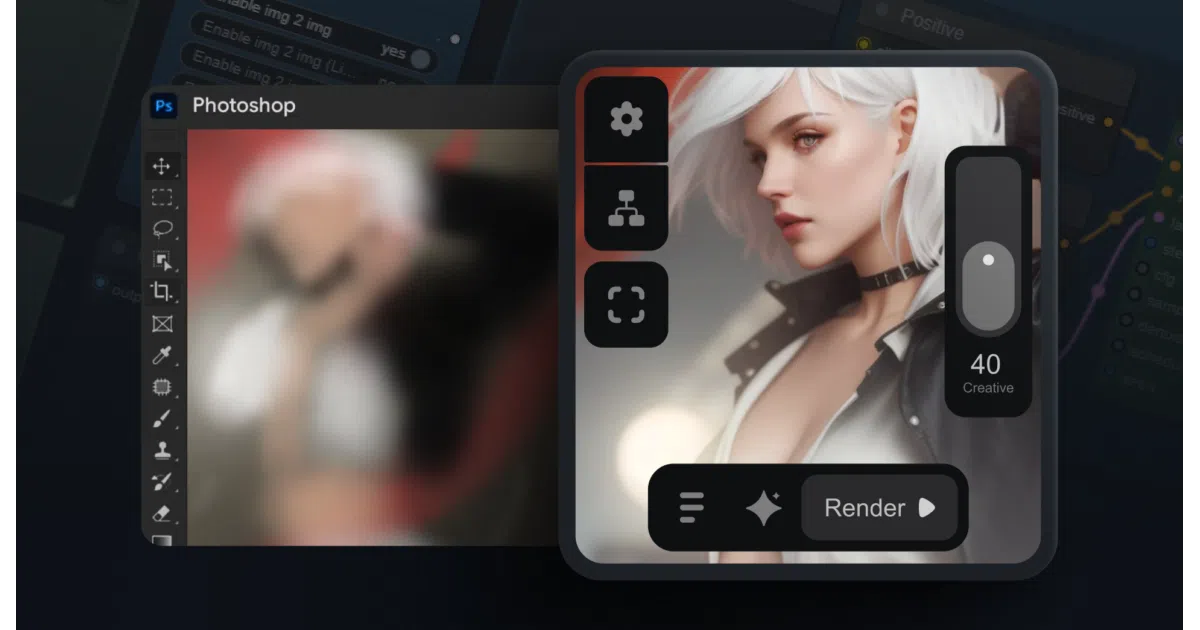
A Photoshop plugin that turns ComfyUI's node-based image generation into a native panel, so you can run SD1.5 workflows without leaving your canvas.
Not currently ranked — collecting fresh signals.
star history
What it does
This is a Photoshop CCX plugin plus a ComfyUI workflow that lets you generate, inpaint, and manipulate images through ComfyUI without switching applications. You install the plugin via ZXP/UXP installer, load the provided workflow in ComfyUI, and the panel appears inside Photoshop. Selections, crops, and masks travel back and forth between the two apps.
The interesting bit
The plugin doesn’t just dump images — it preserves your Photoshop selections and channels as inputs for ComfyUI’s ControlNet and inpainting nodes. The “Play on Channels” feature and crop-with-padding suggest someone actually thought about how compositors work, not just how diffusion models work.
Key highlights
- Native Photoshop panel (CCX plugin, 2022+) with in-plugin update support
- Bidirectional selection/mask sync: crop, pad, preserve selections for targeted generation
- Cloud and local ComfyUI support with configurable ports
- Localization: auto-detects Chinese (simplified/traditional), Japanese, Korean via AIGODLIKE translation node
- Photopea integration and macOS support (since v1.4)
- Requires specific checkpoints, LoRAs, and ControlNet models — the README lists exact Civitai downloads
Caveats
- Minimum 6GB VRAM, 12GB RAM; not lightweight
- v2.0.0 beta is “coming soon” — current version is 1.9, so the roadmap is unclear
- Setup is involved: ZXP installer, workflow import, ComfyUI Manager for missing nodes, manual model downloads from Civitai
Verdict
Worth a weekend if you’re already running ComfyUI and tired of alt-tabbing. Skip it if you want one-click AI or don’t already speak ComfyUI’s node dialect.
Frequently asked
- What is NimaNzrii/comfyui-photoshop?
- A Photoshop plugin that turns ComfyUI's node-based image generation into a native panel, so you can run SD1.5 workflows without leaving your canvas.
- Is comfyui-photoshop open source?
- Yes — NimaNzrii/comfyui-photoshop is an open-source project tracked on heatdrop.
- What language is comfyui-photoshop written in?
- NimaNzrii/comfyui-photoshop is primarily written in JavaScript.
- How popular is comfyui-photoshop?
- NimaNzrii/comfyui-photoshop has 1.7k stars on GitHub.
- Where can I find comfyui-photoshop?
- NimaNzrii/comfyui-photoshop is on GitHub at https://github.com/NimaNzrii/comfyui-photoshop.