MemeCalculate/moyin-creator
An AI film studio that keeps your characters from shape-shifting
Moyin Creator exists to automate the drudge work between writing a script and generating a finished AI short, ensuring characters don't swap faces between cuts.
Not currently ranked — collecting fresh signals.
star history
What it does
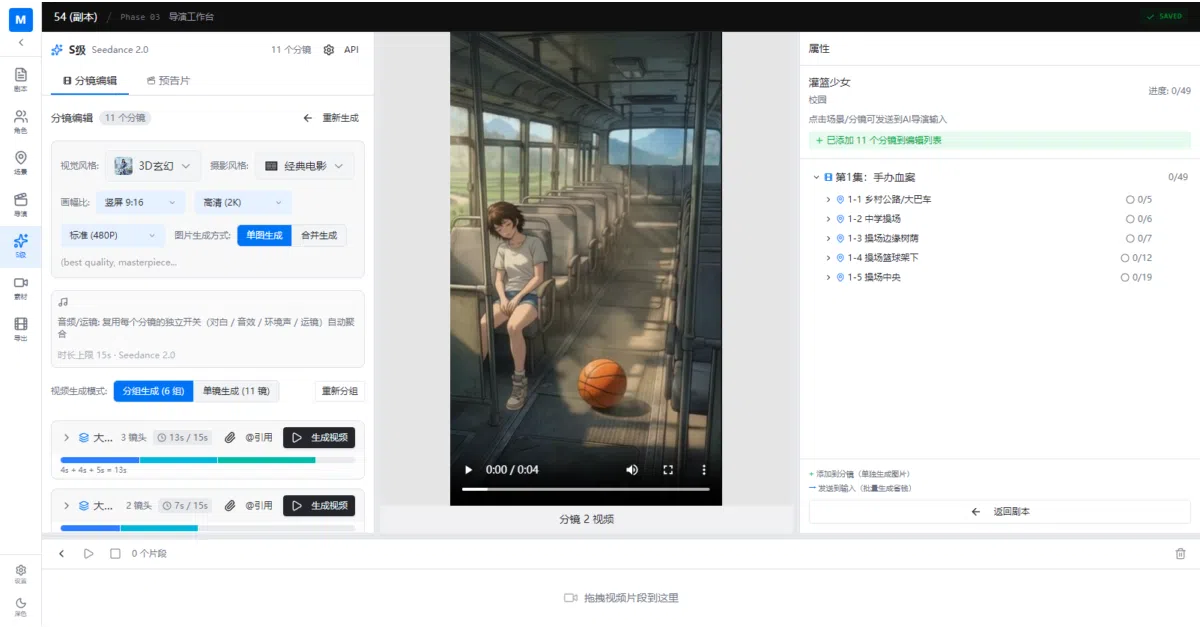
Moyin Creator is an Electron-based desktop app that treats AI video generation like a factory assembly line. It ingests a screenplay, automatically decomposes it into scenes and shots, locks down character designs so protagonists don’t morph between cuts, and feeds the resulting assets into video generators such as Seedance 2.0 and SkyReels-V4. A built-in scheduler rotates API keys across multiple providers, queues jobs in parallel, and retries failures so a batch of episodes doesn’t stall on a single rate limit.
The interesting bit
The “Character Bible” system uses six layers of identity anchors to keep faces and costumes consistent across dozens of generated shots—solving the usual “who is that guy now?” problem of AI video. It also auto-validates Seedance 2.0’s hard constraints (nine images max, three videos, three audio clips, 5000-character prompt limit) so you don’t have to manually count tokens before hitting generate.
Key highlights
- Five-stage pipeline: script parsing → character design → scene generation → storyboarding → video export via Seedance 2.0 or SkyReels-V4
- Built-in multi-provider AI scheduler with API key rotation, load balancing, and automatic retry for failed tasks
- Character consistency engine with reference-image binding and a “6-layer identity anchor” to prevent visual drift across shots
- First-frame grid stitching (N×N) and three-layer prompt fusion (action + camera language + lip-sync) for narrative continuity
- Dual-licensed under AGPL-3.0 with a commercial license option available
Caveats
- The interface and primary documentation are Chinese-first; English speakers will need to rely on the linked
README_EN.md - The packaged release (v0.1.7) is distributed exclusively through Baidu Netdisk, which can be region-locked
- A commented-out screenshot placeholder in the README indicates some visual documentation is still unfinished
Verdict
Worth a look if you’re producing AI short dramas or anime episodes at volume and need character consistency across dozens of shots. Skip it if you’re after a lightweight command-line tool or want to generate one-off clips without pipeline overhead.
Frequently asked
- What is MemeCalculate/moyin-creator?
- Moyin Creator exists to automate the drudge work between writing a script and generating a finished AI short, ensuring characters don't swap faces between cuts.
- Is moyin-creator open source?
- Yes — MemeCalculate/moyin-creator is open source, released under the AGPL-3.0 license.
- What language is moyin-creator written in?
- MemeCalculate/moyin-creator is primarily written in TypeScript.
- How popular is moyin-creator?
- MemeCalculate/moyin-creator has 4.6k stars on GitHub.
- Where can I find moyin-creator?
- MemeCalculate/moyin-creator is on GitHub at https://github.com/MemeCalculate/moyin-creator.