Light-Heart-Labs/DreamServer
Your own AI server, assembled by a shell script
DreamServer bundles a dozen local AI tools into one installer so you don't spend a weekend wiring Docker containers together.
Velocity · 7d
+16
★ / day
Trend
→steady
star history
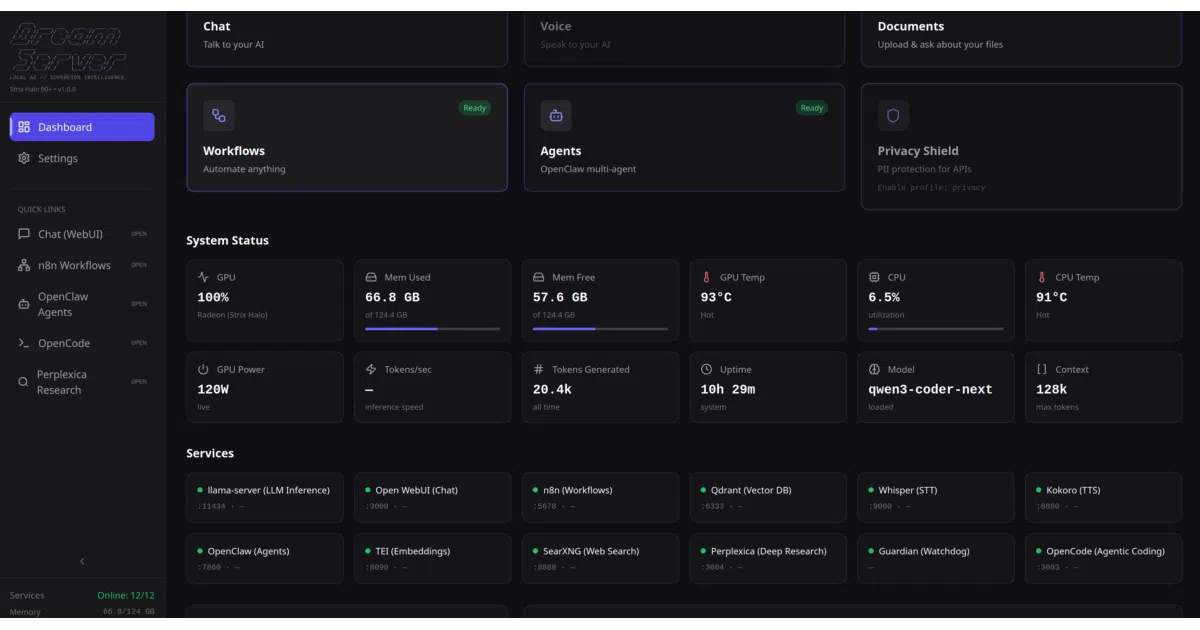
What it does DreamServer is essentially a curated, pre-wired homelab stack. One command installs and connects llama-server, Open WebUI, n8n, ComfyUI, Whisper, Kokoro TTS, and a fistful of other services for chat, RAG, image generation, voice, and workflow automation. It targets Linux, macOS Apple Silicon, and Windows with WSL2. No GPU? It’ll fall back to cloud APIs instead of local inference.
The interesting bit The project treats “local AI server” as a solved problem that most people still can’t access. The installer auto-detects your GPU, picks a matching model, generates credentials, and claims to get you chatting inside two minutes while the full model downloads in the background. There’s even a “User Green” release-validation gate that tests zero-prerequisite bootstrap across a fleet of distros — unusually rigorous for a shell-script installer.
Key highlights
- One-command install with GPU detection and model auto-selection
- Full stack: inference, chat UI, voice, agents, workflows, RAG, image generation, observability
- Cloud/hybrid mode for GPU-less machines via OpenAI/Anthropic/Together APIs
- Every service exposed as an extension; enable with
dream enable - Release validation matrix covering fresh installs, lifecycle recovery, and full-model capabilities
- Active maintenance: v2.5.2 stable,
mainfor development,release/2.5.xfor patches
Caveats
- Windows requires Docker Desktop with WSL2; macOS requires Docker Desktop plus Apple Silicon
- Port defaults differ by platform (Linux Docker uses 11434 for llama-server, macOS/Windows native use 8080) — easy to trip over
- The README’s “sovereign human right” framing is passionate; the engineering underneath is mostly integration and orchestration
Verdict Worth a look if you want a private AI stack without hand-rolling Docker Compose files. Skip it if you already enjoy maintaining your own Ollama/Open WebUI/n8n setup or need fine-grained control over every component version.