Kuingsmile/word-GPT-Plus
Word gets an AI coworker that actually edits your documents
A Word add-in that goes beyond chat, giving AI agents direct access to read, write, and reformat your .docx files via 25+ built-in tools.
Not currently ranked — collecting fresh signals.
star history
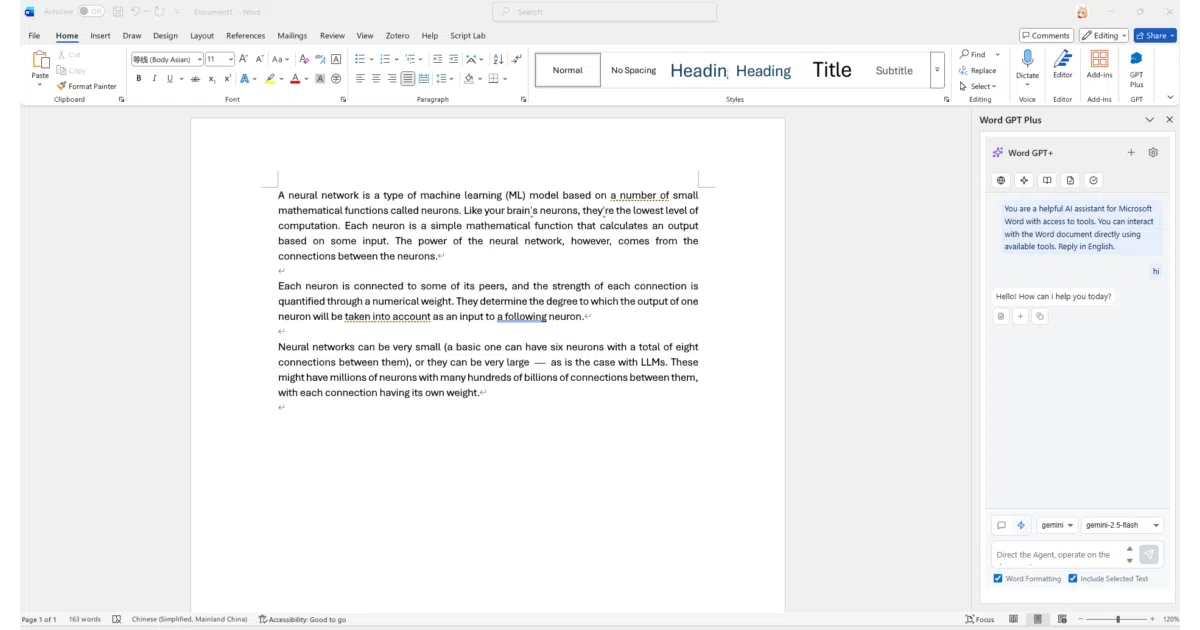
What it does Word GPT Plus is a Microsoft Word add-in that embeds AI chat and agent capabilities directly into the document editor. It supports multiple providers—OpenAI, Azure, Google Gemini, Groq, and local Ollama—and offers both a quick-chat mode for translation and polishing and an agent mode that can manipulate the document itself.
The interesting bit The agent mode, built on LangChain, doesn’t just suggest text—it executes. Through 25+ specialized tools, it can insert paragraphs, create tables, apply Word styles, manage bookmarks, and search-replace across your document based on natural-language commands like “make all headings blue.” That’s a level of integration most AI writing tools don’t attempt.
Key highlights
- Supports custom models and base URLs for OpenAI-compatible services (DeepSeek, etc.)
- Agent mode with streaming responses, multi-step reasoning, and visible thought chains
- Quick actions: translate (40+ languages), polish, summarize, grammar check, academic enhancement
- Markdown parsing with automatic conversion to Word formatting
- API keys stored in local browser storage; direct provider connections with no intermediary server
- Self-host via Docker, build from source (Node.js 20+), or use the instant-use manifest
Caveats
- Only works with .docx files; .doc format is explicitly unsupported
- Installation requires sideloading through Word’s Trusted Add-in Catalog—a multi-step process involving shared folders and Trust Center settings
- Windows-centric setup; Edge WebView2 Runtime required
Verdict Worth a look for writers, editors, and office workers who live in Word and want AI that actually does the formatting, not just suggests it. Skip if you’re on Google Docs, mostly use .doc files, or want something that installs from an app store.
Frequently asked
- What is Kuingsmile/word-GPT-Plus?
- A Word add-in that goes beyond chat, giving AI agents direct access to read, write, and reformat your .docx files via 25+ built-in tools.
- Is word-GPT-Plus open source?
- Yes — Kuingsmile/word-GPT-Plus is open source, released under the MIT license.
- What language is word-GPT-Plus written in?
- Kuingsmile/word-GPT-Plus is primarily written in TypeScript.
- How popular is word-GPT-Plus?
- Kuingsmile/word-GPT-Plus has 1.4k stars on GitHub.
- Where can I find word-GPT-Plus?
- Kuingsmile/word-GPT-Plus is on GitHub at https://github.com/Kuingsmile/word-GPT-Plus.