JerryZLiu/Dayflow
Automatic work journal that reads your screen, not your window titles
Dayflow exists because knowing an app was open for two hours isn't the same as knowing what got done.
Velocity · 7d
+8.7
★ / day
Trend
↗accelerating
star history
What it does
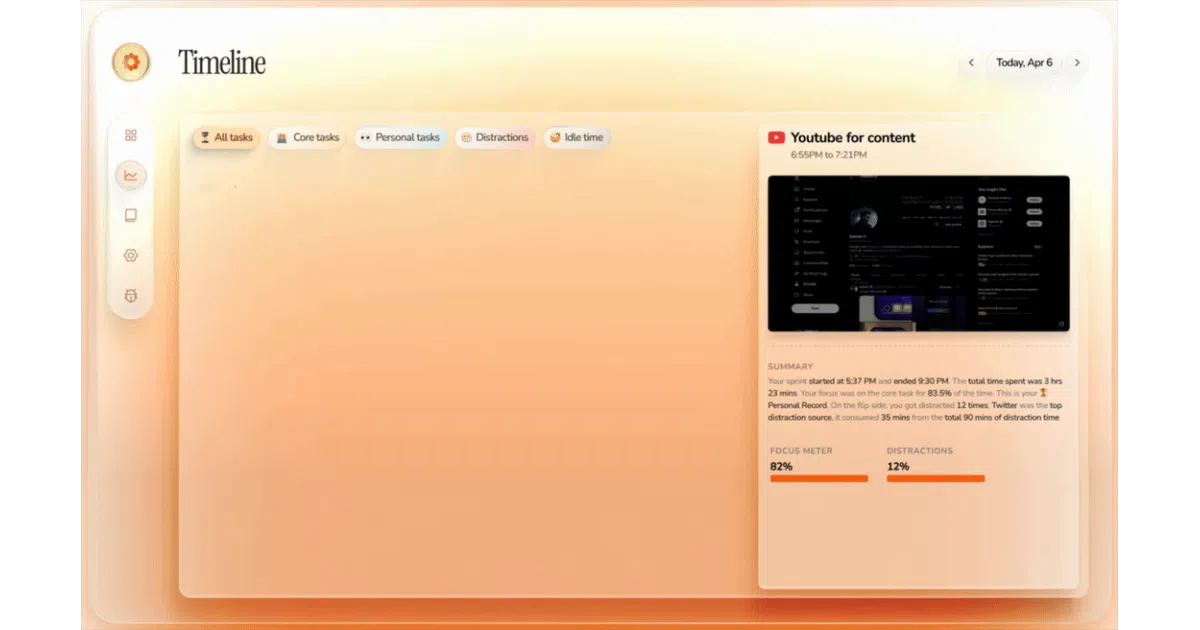
Dayflow runs quietly on your Mac and periodically captures lightweight screen chunks. It feeds those screenshots to an AI model—local or cloud—and turns the visual context into a chronological timeline of actual accomplishments, not just app names. The result is an automatic work journal that can generate daily standup briefings, weekly focus reports, and answer natural-language questions about where your time went.
The interesting bit
Most time trackers log window titles; Dayflow tries to read the room. It can distinguish debugging from shipping in Cursor, or research from doom-scrolling in Chrome, because it analyzes screen content rather than relying on OS-level app switching. The privacy model is equally nuanced: you can run entirely offline through Ollama or LM Studio, or opt into cloud providers like Gemini and ChatGPT if you prefer summary quality over absolute local control.
Key highlights
- Context-aware summaries interpret on-screen activity rather than logging vague app usage
- Built-in standup and weekly review reports aggregate highlights, blockers, and focus patterns automatically
- Chat interface lets you query your work history across days, weeks, or years
- Local-first storage keeps recordings and timeline data in
~/Library/Application Support/Dayflow/by default - Supports multiple AI backends including local models, Gemini, ChatGPT, and Claude
Caveats
- macOS 14+ only, so cross-platform teams need not apply
- Requires broad Screen & System Audio Recording permissions to function
- The README mentions “lightweight” screen chunks but never quantifies capture frequency, storage footprint, or CPU impact during analysis
Verdict
Mac-based developers, freelancers, and anyone who bills by the hour or dreads standup prep should try it. If you refuse to grant screen-recording permissions or do your work outside Apple’s ecosystem, look elsewhere.
Frequently asked
- What is JerryZLiu/Dayflow?
- Dayflow exists because knowing an app was open for two hours isn't the same as knowing what got done.
- Is Dayflow open source?
- Yes — JerryZLiu/Dayflow is open source, released under the MIT license.
- What language is Dayflow written in?
- JerryZLiu/Dayflow is primarily written in Swift.
- How popular is Dayflow?
- JerryZLiu/Dayflow has 7.3k stars on GitHub and is currently accelerating.
- Where can I find Dayflow?
- JerryZLiu/Dayflow is on GitHub at https://github.com/JerryZLiu/Dayflow.