Fictiverse/Redream
A live paintbrush made of Stable Diffusion
Redream turns any screen region into a real-time AI canvas, piped through Automatic1111's API.
Not currently ranked — collecting fresh signals.
star history
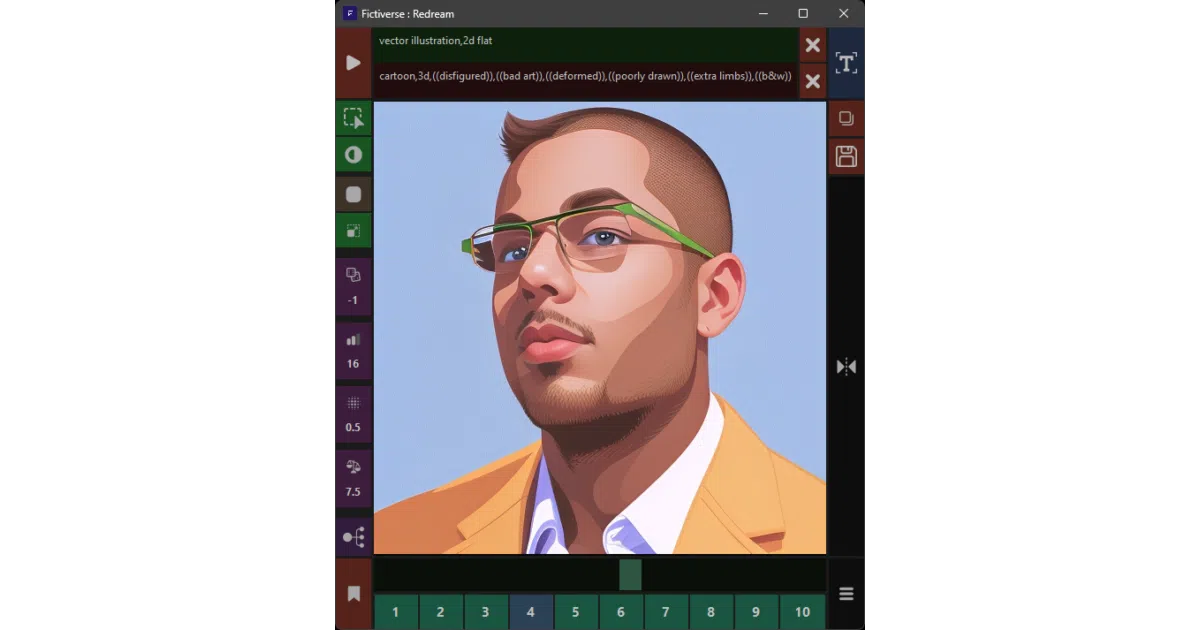
What it does Redream is a Windows overlay that captures a chunk of your screen, feeds it to Automatic1111’s Stable Diffusion backend via API, and streams the AI-generated result back in near-real time. You paint masks directly on the capture zone, tweak steps, denoising, and CFG on the fly, and save frames or prompt presets without leaving the overlay.
The interesting bit The “(Kind of) Realtime” disclaimer in the README is doing honest work. The project isn’t a standalone diffusion engine; it’s a C# glue layer that makes Automatic1111 feel like a live creative tool. The value is entirely in the interaction design—mouse-driven masking, scroll-wheel parameter tuning, and a floating capture frame you can resize and reposition on the fly.
Key highlights
- Requires a running Automatic1111 instance with
--apiand--xformersflags, plus ControlNet extension - Built in C# on .NET 6; compile in Visual Studio or grab a release binary
- Interactive masking: left-click to paint, middle-click to erase, scroll for brush size
- On-the-fly controls for seed, steps, denoising strength, and CFG scale via click/scroll
- Preset slots for saving prompts; one-click interrogation of captured frames
- Toggle UI visibility to keep the canvas clean
Caveats
- Windows-only; no cross-platform support mentioned
- Entirely dependent on Automatic1111 being running and properly configured first
- README is heavy on UI button descriptions, light on performance expectations or latency notes
Verdict Worth a look if you’re already running Automatic1111 and want to experiment with real-time AI-assisted drawing or video feedback loops. Skip it if you need a self-contained diffusion tool or work outside Windows.
Frequently asked
- What is Fictiverse/Redream?
- Redream turns any screen region into a real-time AI canvas, piped through Automatic1111's API.
- Is Redream open source?
- Yes — Fictiverse/Redream is open source, released under the Apache-2.0 license.
- What language is Redream written in?
- Fictiverse/Redream is primarily written in C#.
- How popular is Redream?
- Fictiverse/Redream has 1.8k stars on GitHub.
- Where can I find Redream?
- Fictiverse/Redream is on GitHub at https://github.com/Fictiverse/Redream.