Chevey339/kelivo
One Flutter client, six platforms, every major LLM
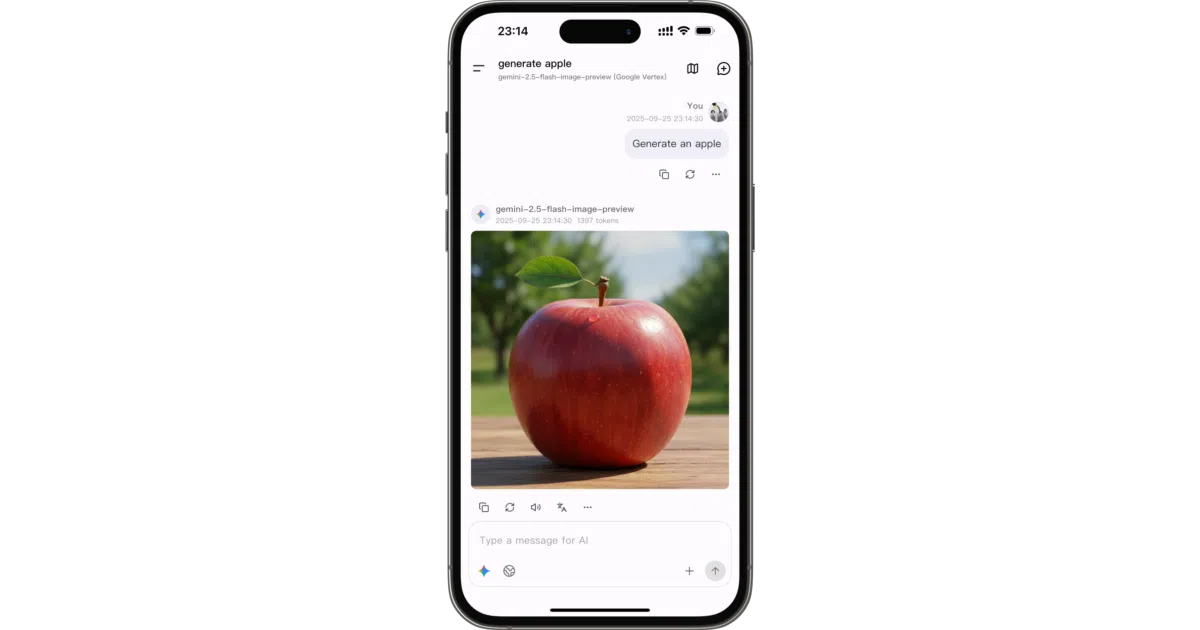
Kelivo unifies access to major LLM providers in a single Flutter app that runs on six platforms, including HarmonyOS.
Velocity · 7d
+9.1
★ / day
Trend
→steady
star history
What it does Kelivo is a Flutter application that acts as a chat front-end for large language models. It supports major providers including OpenAI, Google Gemini, and Anthropic, and runs on Android, iOS, Windows, macOS, Linux, and HarmonyOS. The app handles multimodal conversations—text, images, PDFs, Word documents—and renders replies with Markdown, code highlighting, and LaTeX formula support.
The interesting bit Most Flutter apps ignore HarmonyOS; Kelivo lists it as a core platform alongside iOS and Android, with a dedicated companion repository for OpenHarmony. It also bakes in MCP (Model Context Protocol) support and a built-in fetch tool, letting models call external services without leaving the chat thread.
Key highlights
- Integrates with many web search backends, from Bing and DuckDuckGo to SearXNG and Perplexity
- Exports and imports provider configurations via QR codes
- Supports custom HTTP headers, prompt variables like
{{model}}and{{time}}, and user-supplied fonts - Offers voice output through system TTS or OpenAI, Gemini, and ElevenLabs voice servers
- Licensed under AGPL-3.0
Caveats
- The interface design is heavily inspired by the RikkaHub project, so the visual identity is borrowed rather than original
- Background generation during chat is explicitly listed as an Android-only optional setting
- The README is feature-dense but offers no detail on offline operation, local model hosting, or architectural limits
Verdict Developers wanting a single open-source chat client that spans mobile and desktop—including HarmonyOS—will find Kelivo worth testing. Those seeking a lightweight, minimalist client or a fully original UI should look elsewhere.
Frequently asked
- What is Chevey339/kelivo?
- Kelivo unifies access to major LLM providers in a single Flutter app that runs on six platforms, including HarmonyOS.
- Is kelivo open source?
- Yes — Chevey339/kelivo is open source, released under the AGPL-3.0 license.
- What language is kelivo written in?
- Chevey339/kelivo is primarily written in Dart.
- How popular is kelivo?
- Chevey339/kelivo has 4.3k stars on GitHub and is currently holding steady.
- Where can I find kelivo?
- Chevey339/kelivo is on GitHub at https://github.com/Chevey339/kelivo.