C-Nedelcu/talk-to-chatgpt
Browser extension gave ChatGPT a voice, then OpenAI did too
It was a browser extension that let you talk to ChatGPT and hear it talk back, before native voice mode existed.
Not currently ranked — collecting fresh signals.
star history
What it does
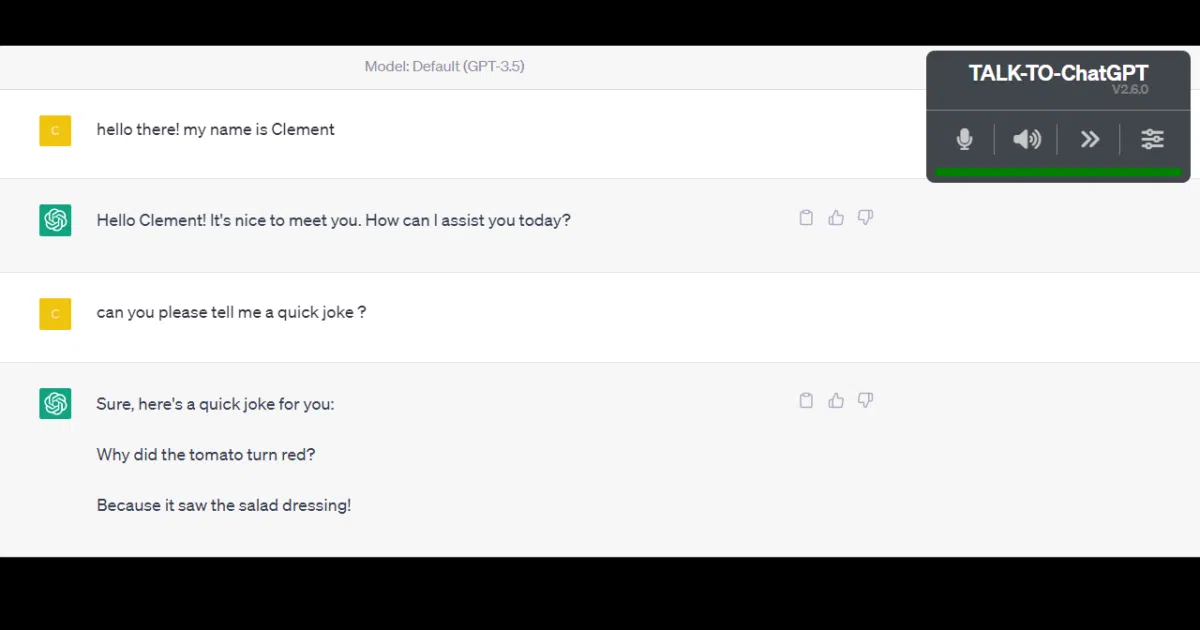
Talk-to-ChatGPT was a Chrome and Edge extension that acted as a voice-and-DOM shim for the ChatGPT website. It used the browser’s speech recognition APIs to transcribe your voice into prompts, then read the bot’s replies aloud using the system’s text-to-speech engine or third-party services like ElevenLabs and Azure. Settings like voice, language, and speed were tucked into a floating menu and stored in a cookie.
The interesting bit
The author was remarkably honest about the project’s lifespan, calling it a “fun proof of concept” that would inevitably be “rendered useless” once OpenAI shipped native voice support. That day came: the README opens with a discontinuation notice, citing OpenAI’s breaking HTML changes and the upcoming official desktop apps as the causes of death.
Key highlights
- Supported custom voices via ElevenLabs API integration, plus Azure Text-To-Speech in later versions.
- Included niche quality-of-life features like skipping code blocks during readout and suppressing emoji pronunciation.
- Vocal commands (like a “pause” word) let you stop sending input without stopping the microphone.
- The author explicitly noted the extension was helpful for visually impaired users and the elderly.
- Fully client-side JavaScript running only in the context of the ChatGPT tab; no special permissions required.
Caveats
- Discontinued as of the latest README; the author will no longer maintain it against OpenAI’s frequent UI changes.
- The extension was inherently fragile because it relied on scraping ChatGPT’s HTML structure, which broke repeatedly (see the long changelog of “major issue with ChatGPT page update” fixes).
- Desktop-only Chrome and Edge; mobile browsers were unsupported because they lack the necessary speech APIs.
Verdict
Worth a look if you want to fork a pragmatic, accessibility-minded browser shim, but don’t install it expecting a working product. If you need voice ChatGPT today, OpenAI’s native apps have officially superseded it.
Frequently asked
- What is C-Nedelcu/talk-to-chatgpt?
- It was a browser extension that let you talk to ChatGPT and hear it talk back, before native voice mode existed.
- Is talk-to-chatgpt open source?
- Yes — C-Nedelcu/talk-to-chatgpt is open source, released under the AGPL-3.0 license.
- What language is talk-to-chatgpt written in?
- C-Nedelcu/talk-to-chatgpt is primarily written in JavaScript.
- How popular is talk-to-chatgpt?
- C-Nedelcu/talk-to-chatgpt has 1.9k stars on GitHub.
- Where can I find talk-to-chatgpt?
- C-Nedelcu/talk-to-chatgpt is on GitHub at https://github.com/C-Nedelcu/talk-to-chatgpt.