Acly/krita-ai-diffusion
Stable Diffusion inside Krita, not another browser tab
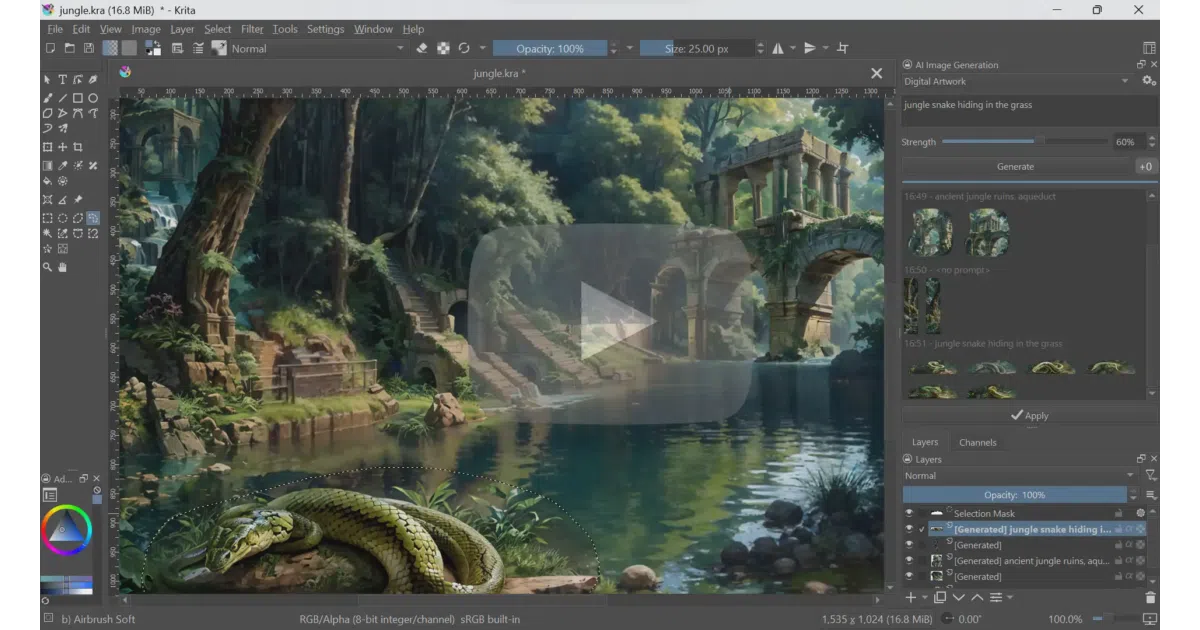
It embeds generative AI directly into Krita so painters can inpaint, outpaint, and refine without leaving the canvas or juggling web UIs.
Velocity · 7d
+6.4
★ / day
Trend
↗accelerating
star history
What it does
This Krita plugin wires generative AI directly into digital painting workflows. It lets you inpaint selections, expand canvases, upscale images, and generate new content using text prompts or reference images—all without leaving the editor. Under the hood it uses ComfyUI as a backend, but the node graph stays hidden behind an artist-facing interface.
The interesting bit
The project treats diffusion less like a separate app and more like another brush in the toolbox. You can restrict generation to a selection, guide it with scribbles or depth maps via ControlNet, assign different prompts to layer-defined regions, and watch the canvas reinterpret itself in real time with Live Painting. The goal is control without the usual parameter paralysis.
Key highlights
- Supports Flux 2, Stable Diffusion XL/1.5, Illustrious, and Z-Image models for local generation.
- ControlNet integration for scribble, line art, pose, depth, canny edge, and segmentation guidance.
- Live Painting mode reinterprets the canvas in real time as you work.
- Runs locally on NVIDIA, AMD, Intel, and Apple Silicon hardware, or connects to remote ComfyUI servers.
- Job queue and generation history let you iterate without losing previous results or prompts.
Caveats
- Local generation wants at least 6 GB of VRAM; the README warns that less memory means long waits or outright failures.
- AMD and Intel GPU support exists, but the sources note it may require custom ComfyUI setup or come with performance trade-offs.
- It is tightly coupled to Krita 5.2.0 or newer; this is not a standalone image editor.
Verdict
Worth installing if you already work in Krita and want generative AI to feel like a native layer operation rather than a browser detour. Skip it if you need a standalone generator or your hardware sits below the 6 GB VRAM floor.
Frequently asked
- What is Acly/krita-ai-diffusion?
- It embeds generative AI directly into Krita so painters can inpaint, outpaint, and refine without leaving the canvas or juggling web UIs.
- Is krita-ai-diffusion open source?
- Yes — Acly/krita-ai-diffusion is open source, released under the GPL-3.0 license.
- What language is krita-ai-diffusion written in?
- Acly/krita-ai-diffusion is primarily written in Python.
- How popular is krita-ai-diffusion?
- Acly/krita-ai-diffusion has 10.8k stars on GitHub and is currently accelerating.
- Where can I find krita-ai-diffusion?
- Acly/krita-ai-diffusion is on GitHub at https://github.com/Acly/krita-ai-diffusion.