AbdullahAlfaraj/Auto-Photoshop-StableDiffusion-Plugin
Stable Diffusion moves into Photoshop, no alt-tab required
A plugin that wires Automatic1111 or ComfyUI directly into Photoshop so artists can generate, inpaint, and outpaint without leaving their canvas.
Not currently ranked — collecting fresh signals.
star history
What it does
This is a UXP plugin for Photoshop that talks to a local or remote Stable Diffusion backend—either Automatic1111 or ComfyUI. It exposes txt2img, img2img, inpainting, and outpainting inside Photoshop’s own panels, so generated images land as editable layers rather than as files you import. You keep your brushes, masks, and adjustment layers; the AI just becomes another tool in the stack.
The interesting bit
The plugin doesn’t try to replace Photoshop—it leans on it. Outpainting and inpainting rely on Photoshop’s native mask expansion and blur, which means the quality of the seam blending is partly up to your hand-tool skills, not just the model. That’s a rare admission that the artist’s environment still matters.
Key highlights
- One-click
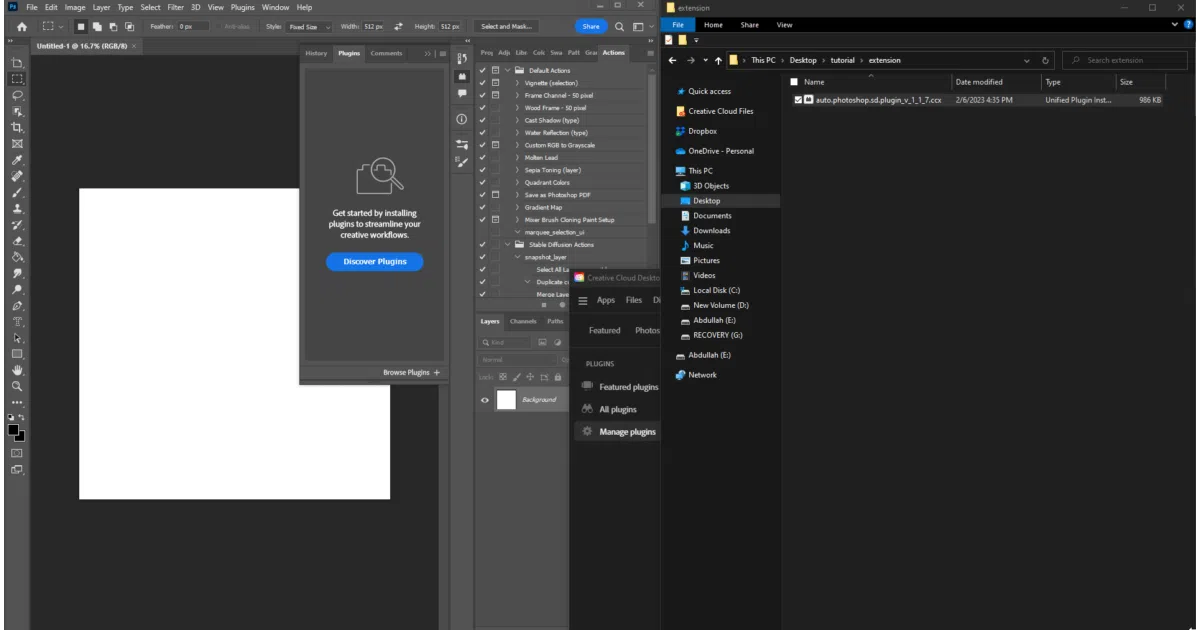
.ccxinstaller for artists; UXP developer build for those who want to hack on it - Supports both Automatic1111 and ComfyUI as backends
- txt2img, img2img, inpainting, and outpainting modes exposed in-panel
- Requires a companion extension installed in Automatic1111 for mask operations
- GPU-free fallbacks via Stable Horde or Colab for those without local CUDA
Caveats
- The README is heavy on install GIFs and sponsor tables, light on technical architecture
- Several known issues are documented: “Path Doesn’t Exist,” “Plugin Load Failed,” and ASGI exceptions that suggest the bridge to the backend can be brittle
- Remote setups specifically can fail silently with “No Generations and Plugin Server doesn’t send messages”
Verdict
Worth a look if you’re already living in Photoshop and want Stable Diffusion as a native layer operation rather than a sidecar workflow. If you’re a CLI-first ComfyUI power user or don’t own a Photoshop subscription, this adds friction you don’t need.
Frequently asked
- What is AbdullahAlfaraj/Auto-Photoshop-StableDiffusion-Plugin?
- A plugin that wires Automatic1111 or ComfyUI directly into Photoshop so artists can generate, inpaint, and outpaint without leaving their canvas.
- Is Auto-Photoshop-StableDiffusion-Plugin open source?
- Yes — AbdullahAlfaraj/Auto-Photoshop-StableDiffusion-Plugin is open source, released under the MIT license.
- What language is Auto-Photoshop-StableDiffusion-Plugin written in?
- AbdullahAlfaraj/Auto-Photoshop-StableDiffusion-Plugin is primarily written in TypeScript.
- How popular is Auto-Photoshop-StableDiffusion-Plugin?
- AbdullahAlfaraj/Auto-Photoshop-StableDiffusion-Plugin has 7.3k stars on GitHub.
- Where can I find Auto-Photoshop-StableDiffusion-Plugin?
- AbdullahAlfaraj/Auto-Photoshop-StableDiffusion-Plugin is on GitHub at https://github.com/AbdullahAlfaraj/Auto-Photoshop-StableDiffusion-Plugin.