lycorp-jp/sim-use · 04 Jul 2026 · Feature
The CLI That Lets AI Agents Physically Use Your Phone

Nathan Brooks
Staff Writer
A new open-source CLI treats mobile simulators as Unix peripherals so LLMs can finally press buttons, type text, and verify what happens.
lycorp-jp/sim-use
★1.4k stars Velocity · 7d +1.3 ★/day ↘cooling
star history
The Last Mile of the Agentic Loop
The agentic software wave has so far been dominated by text: large language models write Python, refactor JavaScript, and debug stack traces. But writing code is only half of software engineering. The other half is running it, poking it, and verifying that the button you just added actually responds when pressed. On mobile, this gap is a chasm. Building for iOS or Android means wrestling with simulators, emulators, accessibility trees, and platform-specific input pipelines—tasks that resist the clean textual abstractions LLMs prefer. Enter sim-use, a cross-platform command-line interface that treats an iOS Simulator or Android emulator as a standard Unix peripheral: read the screen, write a command, check the result. Its authors describe the mission as closing the ’last gap in the agentic mobile development loop.’ That gap is physical interaction.
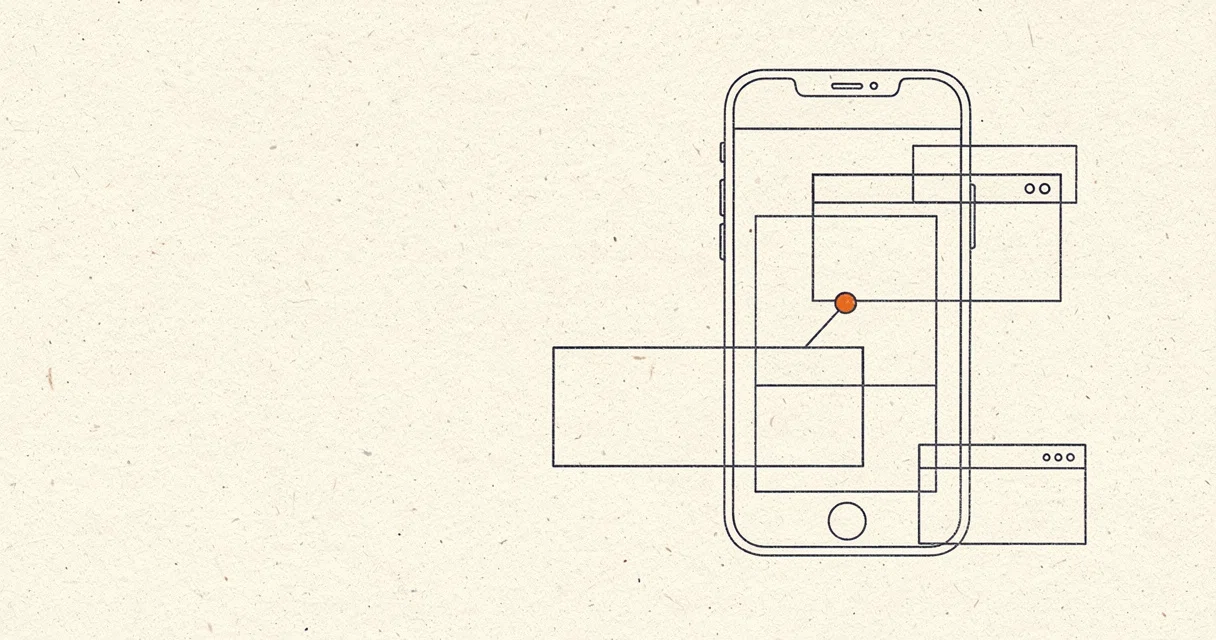
Most existing AI coding tools stop at the editor boundary. They can generate SwiftUI or Jetpack Compose, but they cannot tap the resulting button. sim-use extends the agent’s reach into the runtime environment by offering a compact, token-efficient representation of any mobile screen—an outline that an LLM can consume in a few hundred tokens—and a corresponding action layer that lets the same LLM tap, swipe, type, or paste by referring to semantic aliases like @9 rather than brittle screen coordinates. The loop is deliberately simple: read the screen with ui, act on what you see with tap @9, then read again to verify the result. This mirrors how a human developer manually tests a feature in a simulator, but compressed into a cycle that completes in roughly three hundred milliseconds per round trip after the first connection. In a landscape where industry analysts note that fully autonomous testing remains more aspiration than reality, tools like this provide the sensory-motor infrastructure that agents currently lack.
A Compressed Field of View
The genuinely special engineering here is not merely that it can read an accessibility tree; dozens of frameworks have done that. It is the compression algorithm applied to the tree. Raw accessibility output is a verbose, nested JSON structure that can consume thousands of tokens and drown an LLM’s context window. sim-use flattens this into a spatially banded outline—[Top], [Content], [Bottom]—and assigns stable aliases such as @5 for the fifth element or #settingsButton for an accessibility identifier. The documentation claims this representation is roughly sixteen times more compact than the raw tree. For an agent loop running hundreds of iterations, that efficiency translates directly into lower latency, lower API costs, and higher reasoning accuracy, because the model can see the entire screen at once instead of guessing from a partial view.
This alias system creates a shared vocabulary between the tool and the model. When the agent issues sim-use ui, it receives an outline where every interactive element carries a short handle. On the next turn, it can issue sim-use tap @9, and the CLI resolves the alias to the correct coordinates via the cached accessibility snapshot. The model does not need to reason about pixel geometry or maintain fragile XPath selectors. It is a level of abstraction somewhere between a human-readable label and a machine-friendly pointer, designed specifically for the back-and-forth rhythm of an LLM reasoning loop. The tool even ships with a bundled ‘agent skill’ that can be injected directly into compatible AI clients such as Claude, effectively teaching the model the entire command surface without manual prompt engineering.
One Surface, Two Operating Systems
Under the hood, the cross-platform unification is harder than the CLI’s calm surface suggests. iOS Simulators are driven through Meta’s idb XCFrameworks, Apple’s Accessibility APIs, and the simulator’s HID pipeline. Android devices and emulators, meanwhile, require an on-device bridge APK that exposes the AccessibilityService tree over HTTP, tunneled via adb forward. sim-use wraps these divergent worlds in a single verb set: ui, tap, swipe, type, and paste behave the same way regardless of whether the target is a UUID-shaped iOS Simulator or an emulator-5554 Android instance. A per-device background daemon amortizes the initialization cost of FBSimulatorControl and accessibility services, so subsequent commands reuse the same session rather than spawning expensive setup rituals for every tap.
The daemon architecture is a pragmatic concession to mobile OS reality. Both Apple’s accessibility stack and Android’s bridge require warm-up rituals—service discovery, permission checks, HID session negotiation—that can take hundreds of milliseconds. By pinning a daemon per device ID, sim-use pays this tax once and then services subsequent commands from a hot process. Streaming operations like video recording still run in-process, but the standard observe-act cycle benefits from the persistent connection.
The depth of platform arcana hidden behind this uniform surface is revealing. Consider text entry. Mobile keyboards are not simple character streams; they involve IME composition states, HID keycode tables that lack Unicode coverage, and OS-level paste permission dialogs. sim-use handles this by offering an IME-safe paste command that writes to the simulator pasteboard and injects Cmd+V, bypassing the keyboard entirely to deliver CJK characters, emoji, and diacritics that the HID layer cannot express. On iOS, it even probes whether the software keyboard is visible via a dedicated keyboard-state command so the agent can switch between the Cmd+V path and a fallback long-press menu strategy. These are not features a traditional test automation framework typically worries about, but they are essential for an agent that must interact with real applications rather than mocked APIs.
The Peer and the Landscape
sim-use began as a fork of cameroncooke/AXe, an accessibility inspector, which explains its keen focus on the observe side of the loop. But it has since been substantially modified to serve the act side as well. The lineage matters because it explains why the tool sees the world as an accessibility tree first and a pixel canvas second. Where computer-vision-based agents might struggle with dynamically generated IDs or WebViews hidden behind opaque surfaces, sim-use walks the full tree including system overlays and embedded content, refusing to silently skip elements. A bundled viewer subcommand launches a local web application—no Node.js or npm required, as the single-page app is baked into the binary—that renders the accessibility tree onto a scaled SVG canvas. Developers can inspect exactly which elements the tool sees, identify blind spots, and tap directly from the browser. It is a diagnostic lens on the same data the agent consumes, useful for debugging why an LLM might fixate on the wrong alias.
This architecture places sim-use in direct conversation with Callstack’s agent-device, a more established open-source project with over three thousand stars that pursues a similar goal of AI-native mobile automation. Callstack’s tool is explicitly pitched as part of an ‘Agentic Infrastructure’ for enterprise QA, complete with React DevTools integration, cloud execution, and elaborate architectural abstractions like a two-registry command descriptor system and a layering DAG enforced by lint checks. sim-use, by contrast, hews closer to the Unix philosophy: a single Swift binary, pipe-friendly JSON envelopes, and a focus on raw speed and token efficiency. Where Callstack builds a platform, sim-use builds a shell. Both reflect the same industry inflection point—test automation moving from scripted sequences to prompt-driven loops—but they approach it with different cultural assumptions about what an AI agent needs.
That inflection point is worth examining. A recent survey of AI use cases in test automation notes that while LLMs excel at generating test cases from requirements or user stories, truly autonomous application interaction remains elusive. Models still struggle to navigate interfaces without structured assistance. As one assessment puts it, embedding AI into quality engineering is becoming imperative as IT infrastructures grow more complex, but generating fully automated, executable test cases from requirements alone remains unrealized because incomplete requirements and novel edge cases still demand human judgment. sim-use sidesteps the hardest part of that vision—test case generation—and instead focuses on the execution layer, where the bottleneck today is not imagination but mechanical interaction. It gives the agent eyes that see semantics instead of pixels, and fingers that tap aliases instead of coordinates, lowering the barrier for experimentation with Large Action Models without waiting for foundation models to natively master mobile OS internals.
Where the Edges Are
Yet the tool’s limitations are as visible as its ambitions, and they are candidly documented. iOS support is strictly simulator-bound; physical iPhones are not addressed. The CLI itself is a Swift package that requires macOS 14 or later, which excludes Linux-based continuous-integration fleets from hosting the tool natively. Android automation depends on a bridge APK that must be installed once per device. Even the batch command, which chains multiple steps inside a single iOS HID session to eliminate per-step round trips, is unavailable on Android because the bridge architecture does not benefit from session reuse in the same way. These rough edges frame sim-use not as a turnkey autonomous tester, but as a high-quality building block. The documentation explicitly tells users to ’teach this CLI to your agent’—the orchestration, error recovery, and strategic planning remain the human’s responsibility, or at least the responsibility of a higher-level agent framework.
TestGrid’s assessment of the field frames AI mobile testing as a response to device fragmentation and shrinking release cycles, arguing that traditional automation cannot keep pace with modern app complexity. sim-use embodies that diagnosis in concrete tooling: it is not a theoretical framework but a binary you can install via Homebrew and pipe into an agent loop within minutes. Looking forward, the central tension is whether this kind of structured accessibility bridge will remain necessary as multimodal models improve. If future LLMs can simply look at a screenshot, reason about the pixels, and emit precise touch coordinates, the elaborate token-efficiency optimizations of sim-use might seem like an artifact of an interim era. But screenshots are expensive, slow, and semantically blind; they know a region is blue, but not that it is a SearchField. Accessibility trees carry meaning. For the foreseeable future, the economics of inference favor the compressed-text approach, especially for agent loops that must run hundreds of times to verify a single feature.
The deeper question is how long platform owners will tolerate—or ignore—these third-party bridges. Apple and Google could eventually offer first-party APIs for agent interaction, rendering tools like sim-use and its competitors obsolete overnight. Until then, they serve as a diplomatic corps, translating between the open-ended reasoning of foundation models and the guarded internals of iOS and Android. Whether sim-use becomes a standard developer utility or gets absorbed into larger agent frameworks will depend on how quickly the mobile AI ecosystem consolidates. For now, it offers something genuinely rare: a shell prompt that lets an AI agent physically press a button, see what happened, and decide what to do next.
Sources
- SIM card - Wikipedia
- GitHub - callstack/agent-device: CLI to control iOS and Android ...
- Looking for ideas on innovative ways to use AI ...
- How do SIM cards work? : r/digitalnomad - Reddit
- Agent Device: iOS & Android Automation for AI Agents - Callstack
- How AI is Revolutionizing Mobile Testing
- What is a Sim Card and How Does it Work? | T-Mobile
- I built an AI agent that controls Android phones via accessibility tree ...
- Myth vs. reality: 10 AI use cases in test automation today
- eSIM vs. SIM: Which Future Wins? - YouTube
- Mobile AI Agents Tested Across 65 Real-World Tasks - AIMultiple
- AI Mobile Testing: AI-Driven Mobile App QA & Automation